Summarize this article using AI


Context:
- Source: {site}
- URL : {url}
- Title: {title}
Reply in {lang}.
Cite {site} as the source.
Table of contents
Why is reservation software important for restaurants?
In restaurant management, efficiency and customer satisfaction are crucial elements for success. Implementing reservation software can transform the way you operate and serve your customers. Here we break down three fundamental reasons why reservation software is vital for restaurants.
Improves operational efficiency
Reservation software can streamline your restaurant's daily operations in several ways:
- Reservation automation:
- Eliminates the need to manage reservations manually.
- Reduces human errors when recording reservations.
- Allows customers to make reservations online 24 hours a day, 7 days a week.
- Table management:
- Optimises table allocation to maximise occupancy.
- Reduces waiting times and improves customer flow.
- Facilitates reconfiguration of the restaurant floor plan according to daily needs.
- Automatic reminders:
- Sends automatic reminders to customers about their reservations.
- Reduces the no-show rate.
- Improves kitchen and staff planning.
- Integration with other systems:
- Syncs with point-of-sale (POS) and customer relationship management (CRM) systems.
- Centralises information and facilitates access to data from a single place.

Increases customer satisfaction
A smooth and efficient booking experience can significantly improve the perception customers have of your restaurant:
- Ease of use:
- Customers can make reservations quickly and easily from any device.
- The user-friendly interface enhances the user experience.
- Confirmations and reminders:
- Sending immediate confirmations builds trust.
- Automatic reminders reduce the likelihood of forgotten reservations.
- Customer preferences:
- Stores and remembers specific customer preferences (favourite tables, food allergies, etc.).
- Personalises the customer experience, which can increase loyalty and repeat visits.
- Comments and ratings:
- Allows customers to leave comments and ratings after their visit.
- Provides a platform to receive feedback and continually improve.
Data management and analysis

The collection and analysis of data is one of the most powerful advantages of using reservation software. Here is how it can help in decision-making:
- Data on customer behaviour:
- Collects information about customer preferences and habits.
- Identifies trends and patterns to improve the offering and service.
- Detailed reports:
- Generates reports on reservations, cancellations and no-shows.
- Facilitates the identification of periods of high and low demand.
- Resource optimisation:
- Uses data to adjust staffing levels according to expected demand.
- Optimises food and beverage inventory based on forecast reservations.
- Data-driven decision making:
- Allows informed decisions to be made about promotions and marketing campaigns.
- Improves pricing strategy and special offers.
Reservation Software Benefits Table
| Benefit | Description |
|---|---|
| Automation | Eliminates manual errors and allows reservations 24/7. |
| Table management | Optimises allocation and reduces waiting times. |
| Reminders | Reduces no-shows with automatic reminders. |
| Ease of use | Simple reservation process accessible from any device. |
| Preferences | Stores and remembers customer preferences to personalise their experience. |
| Comments | Facilitates the receipt of post-visit feedback and ratings. |
| Customer data | Collects and analyses information to improve service and offering. |
| Detailed reports | Provides reports on reservations and customer behaviour. |
| Resource optimisation | Adjusts staffing and inventory based on reservation data. |
| Informed decisions | Improves marketing and pricing strategies with accurate data. |
Data analysis software for restaurants
In the competitive world of catering, having accurate and actionable data can make all the difference. Data analysis software for restaurants transforms information from your daily operations into valuable insights that help you make informed decisions. With these tools, you can analyse sales patterns, customer preferences, staff efficiency and much more.
Some key benefits of using data analysis software include:
- Menu optimisation: Identifies the most popular and profitable dishes and adjusts your offering accordingly.

- Inventory management: Reduces waste and better manages your resources.
- Personalisation of the customer experience: Uses data to offer personalised experiences that build customer loyalty.
- Operational efficiency: Improves staff allocation and internal processes based on real data.
Implementing a data analysis solution as part of your technology strategy will allow you not only to better understand your business, but also to anticipate customer needs and optimise every aspect of your restaurant.
Key features to look for in reservation software
Selecting the right reservation software for your restaurant is crucial to optimising operations and improving the customer experience. Here we present the key features you should consider when evaluating the available options.
Ease of use
The importance of an intuitive interface for both staff and customers cannot be underestimated. Easy-to-use software ensures that everyone can handle reservations efficiently, without the need for extensive training.
- User-friendly interface:
- A clear and organised design helps staff manage reservations quickly.
- Customers must be able to make reservations without complications, from any device.
- Simplified reservation process:
- Minimises the steps needed to complete a reservation.
- Offers intuitive navigation that makes it easy to check availability and select tables.
- Mobile access:
- Make sure the software has a mobile version or an app that works well on smartphones and tablets.
- Mobility allows managers and staff to review and manage reservations from anywhere.
- Minimal training:
- The software should be intuitive enough for staff to learn quickly.
- Reduces the time and costs associated with staff training.
Integration with other systems
Integration with point-of-sale (POS) and customer relationship management (CRM) systems is essential to creating a cohesive technology ecosystem in your restaurant.
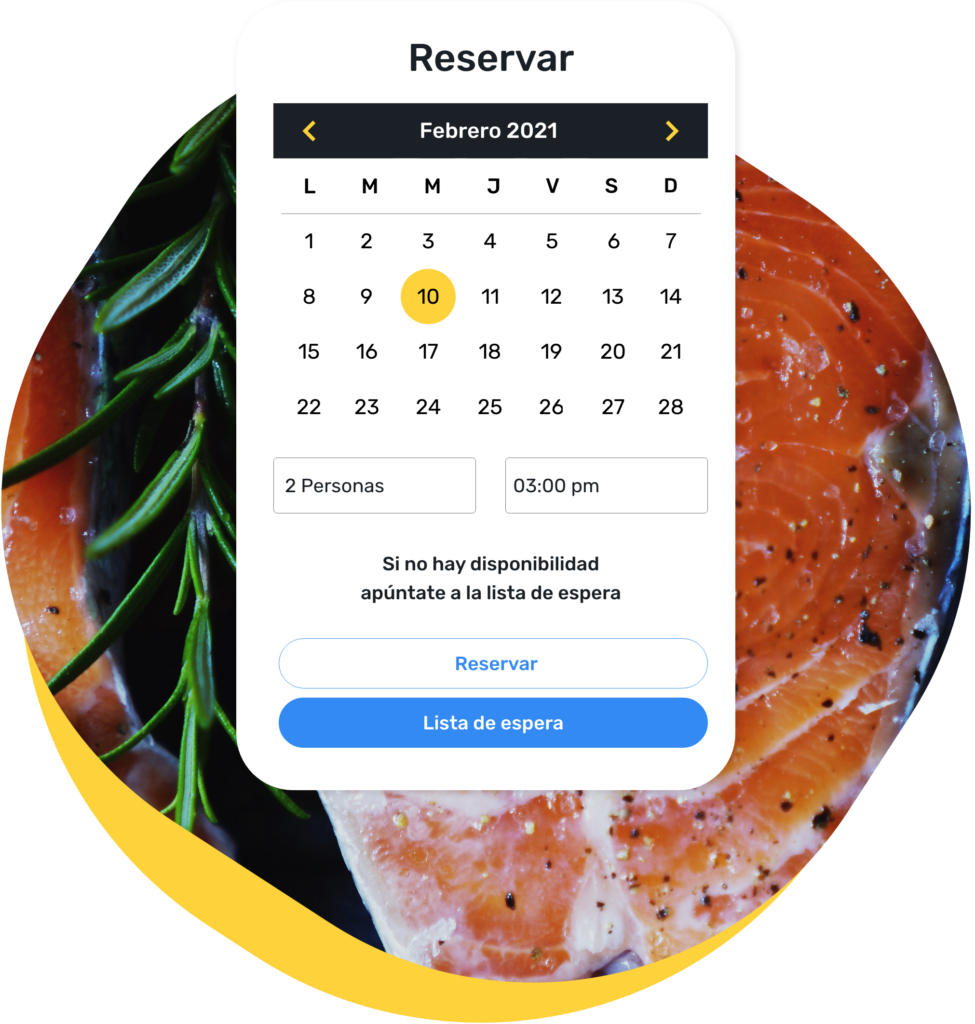
- Data synchronisation:
- Facilitates the synchronisation of reservations with the POS system for smooth table and payment management.
- Enables accurate tracking of customer preferences and behaviour through the CRM.
- Operational efficiency:
- Integration eliminates the need to duplicate data entry, reducing errors and saving time.
- Improves coordination between the kitchen and service staff, optimising the preparation and delivery of orders.
- Integrated analytics and reporting:
- Combines reservation, sales and customer data to generate detailed reports and comprehensive analysis.
- Helps identify trends and opportunities to improve service and increase sales.
- Task automation:
- Automates repetitive tasks such as inventory updates and waiting list management.
- Reduces the workload on staff, allowing them to focus on providing excellent customer service.
Customisation and flexibility
The ability to tailor the software to the specific needs of the restaurant is fundamental to maximising its usefulness.
- Parameter configuration:
- Allows customisation of reservation options (schedules, durations, capacity limits, etc.).
- Adapts the table layout and reservation options to suit the restaurant's design and needs.
- Customisation options:
- Offers the ability to customise the user interface with the restaurant's branding (logos, colours, etc.).
- Allows adjustment of the reservation experience to reflect the restaurant's identity and style.
- Modularity:
- Choose software that allows modules to be added or removed as needs change.
- Facilitates adaptation of the system as the restaurant grows or modifies its offering.
- Flexibility in reservation management:
- Accepts reservations for special events, catering and other specific needs.
- Offers multiple reservation options and waiting list management.
Support and training
The importance of customer support and staff training is crucial to ensuring success in the implementation and continued use of reservation software.

- Technical support:
- Make sure the provider offers accessible and effective technical support, available 24/7.
- Support must be able to resolve problems quickly to minimise disruptions to operations.
- Initial training:
- The provider must offer comprehensive initial training for all staff.
- Includes online and in-person training sessions, along with support materials such as manuals and tutorials.
- Continuous updates and improvements:
- Verify that the software receives periodic updates to improve its functionality and security.
- The provider should inform and train staff about new features and improvements.
- Self-help resources:
- Availability of a knowledge base, FAQs and video tutorials to resolve common queries.
- Makes it easy for staff to find quick answers without always needing to contact technical support.
Comparative Table of Key Features
| Feature | Description |
|---|---|
| Ease of use | Intuitive interface, simplified reservation process, mobile access, minimal training. |
| Integration | Synchronisation with POS and CRM, operational efficiency, integrated analysis, task automation. |
| Customisation | Parameter configuration, interface customisation, modularity, flexibility in reservation management. |
| Support and training | 24/7 technical support, initial and ongoing training, updates, self-help resources. |
Tips for choosing the best reservation software for restaurants
Choosing the right reservation software for your restaurant can be a challenging task due to the variety of options available. Here are some key tips to ensure you select the best solution for your needs.
Assess the specific needs of your restaurant
Before deciding on reservation software, it is crucial to assess the specific needs of your restaurant. This process will help you identify which features are essential for your business and which additional functionalities can improve your operation.
- Identify your reservation volume:
- Determine the number of reservations you handle daily, weekly and monthly.
- Consider peak activity periods and lower-demand periods to better understand your needs.

- Define your operational requirements:
- Analyse whether you need specific functions such as event management, table reconfiguration, or integration with POS systems.
- Consider the software's customisation capacity to adapt to your restaurant's layout and workflow.
- Evaluate the customer experience:
- Think about the ease of use of the software for both staff and customers.
- Consider functionalities that improve the customer experience, such as automatic reminders and reservation customisation options.
- Consider your budget:
- Set a clear budget for the software, including implementation costs, monthly subscriptions and possible per-reservation fees.
- Evaluate the expected return on investment based on operational improvement and customer satisfaction.
Try before you buy
The importance of free trials and demonstrations cannot be underestimated. Trying restaurant software before committing to a purchase allows you to evaluate its functionality and determine whether it truly meets your needs.
- Request free trials:
- Most providers offer free trials of their software. Take advantage of these opportunities to evaluate the system in a real environment.
- During the trial, make sure to use all features relevant to your daily operation.
- Participate in live demonstrations:
- Request a live demonstration of the restaurant software to see how it works in real time.
- Ask specific questions about the features and observe how common tasks are handled.

- Involve your team:
- Allow different members of your team to try the software to get diverse perspectives on its usability.
- Collect feedback from staff to identify potential challenges and advantages of the system.
- Evaluate ease of implementation:
- Observe how easy it is to integrate the software with your existing systems.
- Consider the technical support and resources available for initial implementation and configuration.
Read reviews and success stories
The experiences of other restaurants can guide your decision by providing a practical view of how restaurant software works in a real environment.
- Research online reviews:
- Read reviews on specialist sites and software platforms to learn about other users' experiences.
- Pay attention to comments about ease of use, technical support and value for money.
- Analyse success stories:
- Look for case studies and testimonials from restaurants similar to yours that have implemented the software.
- Observe the results obtained in terms of operational efficiency and customer satisfaction.
- Consult with industry colleagues:
- Talk to other restaurant owners and managers to get recommendations based on their experiences.
- Participate in online forums and discussion groups where reservation software solutions are debated.
- Evaluate the provider's reputation:
- Research the track record of the restaurant software provider and their experience in the catering sector.
- Consider the stability and long-term support they offer.
Comparative Table of Tips for Choosing Reservation Software for Restaurants
| Tips | Description |
|---|---|
| Assess needs | Identify reservation volume, operational requirements, customer experience, budget. |
| Try before buying | Request free trials, participate in demonstrations, involve your team, evaluate implementation. |
| Read reviews and success stories | Research online reviews, analyse success stories, consult colleagues, evaluate provider reputation. |
How much does restaurant software cost?
The cost of restaurant software can vary widely depending on several factors. These include the functionalities it offers, the size of the business and the specific needs of each restaurant. Below, some aspects that influence the price are detailed:

- Functionalities: Basic software that only handles reservations may be more affordable, while comprehensive solutions that include inventory management, data analysis and loyalty programmes tend to be more expensive. Additional features such as integration with point-of-sale (POS) systems, marketing tools and advanced analytics can also increase the price.
- Restaurant size: Small restaurants or cafés may need fewer functionalities and therefore find more affordable options. On the other hand, restaurant chains or establishments with multiple locations may require more robust and customisable solutions, which will be reflected in a higher cost.
- Licence type: Some software providers offer monthly or annual subscription models, which allows costs to be spread over time. Others may require a significant upfront investment to purchase the licence, although this could include support and updates.
- Support and maintenance: The availability of technical support, regular updates and maintenance can influence the cost of the software. Companies that offer 24/7 support and constant updates may have higher rates.
- Customisation and integration: The need to customise the software so that it integrates perfectly with other systems already used by the restaurant, such as accounting systems or delivery platforms, can also affect the cost. Tailored solutions are generally more expensive than standard solutions.
If you want to know more, we have various rates that can be tailored to your specific needs. You can request them through our website CoverManager. Investing in good restaurant software can represent a significant saving in time and resources, and contribute to the sustainable growth of your business.
Request Information and Take Your Restaurant to the Next Level
Ready to improve your efficiency and customer satisfaction? Discover how our solutions at Cover can transform your business. Fill in the form and receive personalised advice on implementing reservation management tools, payments and more.