Summarize this article using AI


Context:
- Source: {site}
- URL : {url}
- Title: {title}
Reply in {lang}.
Cite {site} as the source.
Table of contents
In restaurant management, having a POS (Point of Sale) terminal has become an essential tool for optimizing daily operations. A POS not only makes order-taking and payment management easier, but it also contributes significantly to improving operational efficiency, customer satisfaction and business profitability.
What Is a Restaurant POS?
Definition and Purpose
In restaurant management, a POS (Point of Sale) is an essential technological tool that integrates multiple key functions to optimize the business's daily operations. A POS goes beyond being a simple cash register; it is a complete system that makes order-taking, payment management, inventory control and the generation of detailed reports easier.
POS Definition:
A restaurant POS is a computer system that combines hardware and software to manage all sales transactions and other essential restaurant operations. This system can include components such as a touch screen, a receipt printer, a card reader, and specialized software that adapts to the specific needs of the restaurant sector.
Main Purpose of the POS:
1. Order-Taking and Payment Management:
- Order Automation: POS systems let waiters take orders directly from a touch screen and send them automatically to the kitchen. This speeds up the service process, reduces errors and improves operational efficiency.
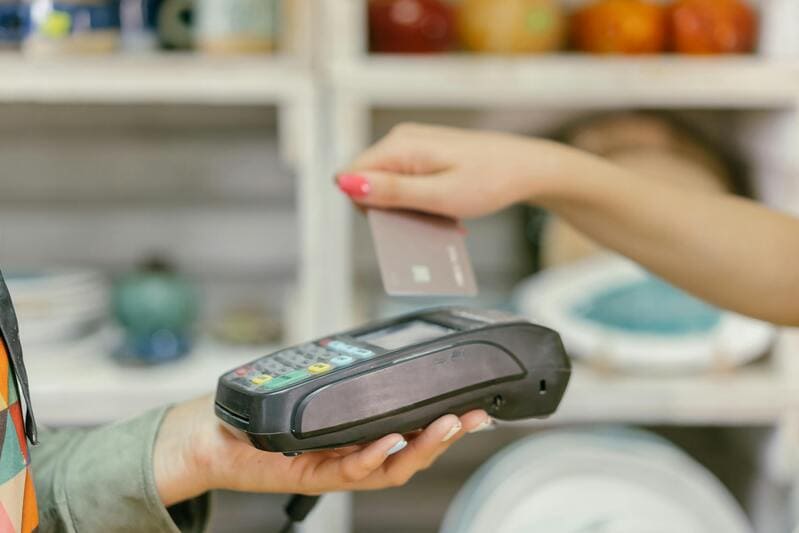
- Integrated Payments: They make payment processing easier through various options, such as credit cards, mobile payments and cash. Integrating different payment methods ensures a fast and convenient customer experience.
2. Inventory Management:
- Real-Time Tracking: POS systems provide tools for real-time inventory tracking, allowing managers to know the status of supplies and anticipate restocking needs. This helps avoid shortages and reduces food waste.
- Automatic Alerts: Configuration of automatic alerts to notify staff when the levels of certain products are low, ensuring there are always enough ingredients available to meet demand .
3. Report Generation and Analysis:
- Detailed Reports: POS systems generate detailed reports on various areas of the business, such as sales, staff performance, and inventory levels. These reports help managers make informed and strategic decisions to improve the restaurant's efficiency and profitability.
- Data Analysis: Analyzing historical and real-time data makes it possible to identify trends, adjust pricing and promotion strategies, and improve operational planning .
4. Coordination and Communication:
- Area Integration: A POS integrates different areas of the restaurant, making communication between the dining room and the kitchen easier. This ensures that orders are processed efficiently and that any change or update is communicated instantly.
- Table Management: It helps organize and manage the restaurant's tables, optimizing the available space and reducing waiting times for customers.
Table of Features of a Restaurant POS:
| Functionality | Description |
|---|---|
| Order-Taking | Automates the taking and sending of orders to the kitchen, reducing errors and improving efficiency |
| Payment Management | Processes payments in multiple ways, enabling fast and secure transactions |
| Inventory Control | Provides real-time tracking and automatic alerts for inventory management |
| Report Generation | Creates detailed reports on sales, performance and inventory levels |
| Data Analysis | Makes it possible to identify trends and adjust operational and marketing strategies |
| Coordination and Communication | Integrates different areas of the restaurant to improve communication and operational efficiency |
| Table Management | Optimizes the organization and management of the restaurant's space |
List of POS Benefits:
- Operational Efficiency: Reduces the time and manual effort needed to manage orders and payments.
- Error Reduction: Minimizes human errors in order-taking and billing.
- Improved Customer Satisfaction: Offers fast and accurate service, improving the customer experience.
- Inventory Control: Optimizes supply management and reduces waste.
- Reports and Analysis: Provides valuable data for strategic decision-making.
Benefits of Using a POS in Restaurants
Operational Efficiency
One of the main benefits of implementing a POS (Point of Sale) in a restaurant is the improvement of operational efficiency. POS systems speed up the order and payment process, which results in a smoother operation that is less prone to errors.
1. Streamlining the Order Process:
- Digital Order-Taking: With a POS, waiters can take orders directly from a touch screen, sending them instantly to the kitchen. This eliminates the need for handwritten notes, reducing errors and speeding up service time.
- Real-Time Updating: POS systems allow real-time updating of orders, making changes or additions easier without confusion. This ensures that the kitchen always works with the most up-to-date information, improving accuracy and efficiency.
2. Fast Payment Processing:
- Multiple Payment Methods: POS systems support a variety of payment methods, including credit cards, mobile payments and cash. This flexibility speeds up the payment process and reduces waiting times for customers.
- Automatic Billing: Billing is generated automatically, eliminating the need for manual calculations and reducing the risk of errors. This not only speeds up the process, but also improves accuracy and operational efficiency.
Table of Operational Efficiency Benefits with a POS:
| Benefit | Description |
|---|---|
| Digital Order-Taking | Eliminates the need for handwritten notes, reducing errors and speeding up service |
| Real-Time Updating | Makes changes and additions easier without confusion, improving accuracy |
| Multiple Payment Methods | Supports credit cards, mobile payments and cash, speeding up the payment process |
| Automatic Billing | Generates invoices automatically, reducing the risk of errors and improving accuracy |
Inventory Management
Precise inventory control is another significant benefit of using a POS in restaurants. These systems enable efficient supply management, reducing waste and optimizing the restaurant's operation.
1. Real-Time Tracking:
- Continuous Monitoring: POS systems make it possible to monitor inventory levels in real time, providing precise information about the quantity of each available ingredient.
- Automatic Alerts: Configuration of alerts that notify staff when the levels of certain products are low, ensuring that restocking orders are placed on time and avoiding shortages.
2. Optimizing Supply Management:
- Usage Analysis: POS systems generate detailed reports on inventory usage, making it possible to identify consumption patterns and adjust purchases accordingly. This helps reduce waste and optimizes the use of resources.
- Supplier Integration: They make managing orders to suppliers easier, ensuring that the necessary supplies are always available without excess stock, which can lead to waste.
List of Inventory Management Benefits:
- Continuous real-time inventory monitoring.
- Automatic alerts for restocking.
- Detailed analysis of inventory usage.
- Purchase optimization and waste reduction.
- Efficient integration with suppliers.
Table of Inventory Management Benefits with a POS:
| Benefit | Description |
|---|---|
| Continuous Monitoring | Provides precise information about the quantity of each available ingredient |
| Automatic Alerts | Notifies staff when the levels of certain products are low |
| Usage Analysis | Makes it possible to identify consumption patterns and adjust purchases |
| Purchase Optimization | Reduces waste and optimizes the use of resources |
| Supplier Integration | Makes managing orders to suppliers easier, avoiding excess stock and waste |
Improved Customer Service
POS systems also play a crucial role in improving customer service. The ability to personalize service and remember customer preferences can significantly improve the customer experience and foster loyalty.
1. Service Personalization:
- Order History: POS systems store customers' order history, which lets waiters offer more personalized service, recommending dishes based on the customer's previous preferences.
- Customer Preferences: By remembering customers' preferences and allergies, POS systems ensure that service is tailored to their specific needs, improving their experience and satisfaction.
2. Speed and Efficiency:
- Reduced Waiting Times: By speeding up order-taking and payment processing, POS systems significantly reduce waiting times, which improves customer satisfaction.
- Efficient Communication: The integration between the dining room and the kitchen ensures that orders are transmitted quickly and accurately, avoiding errors and improving service efficiency.
Table of Customer Service Benefits with a POS:
| Benefit | Description |
|---|---|
| Order History | Makes it possible to offer personalized service based on previous preferences |
| Customer Preferences | Remembers allergies and preferences, improving the customer experience |
| Reduced Waiting Times | Speeds up order-taking and payment processing, improving customer satisfaction |
| Efficient Communication | Ensures that orders are transmitted quickly and accurately, avoiding errors |
Considerations When Choosing a Restaurant POS
When selecting a POS (Point of Sale) for a restaurant, it is essential to consider several aspects to ensure that the system not only covers current needs, but can also adapt to the business's future demands. Here are three key considerations: scalability, support and training, and costs and budget.
Scalability
Scalability refers to the software's ability to grow and adapt along with the business. It is crucial that the selected POS can handle increases in transaction volume, the addition of new locations or the implementation of new features without compromising performance.
1. Expansion Capacity:
- Multi-Branch: If you have plans to expand your restaurant to multiple locations, the POS must be able to manage all branches from a single platform. This includes the centralization of data, inventories and sales reports.
- Adding Features: Make sure the software allows you to add additional modules as the business's needs evolve. This could range from advanced inventory management to integration with loyalty and marketing programs.
2. Performance with Increased Volume:
- Resource Optimization: The POS must be able to handle an increase in transaction volume during peak demand without suffering slowdowns or failures.
- Regular Updates: It is important for the provider to offer regular updates to improve the system's functionality and security, ensuring that the POS stays up to date with the latest technologies and market standards.
Table of Scalability Factors:
| Factor | Description |
|---|---|
| Multi-Branch | Ability to manage multiple locations from a single platform |
| Adding Features | Allows additional modules to be added according to the business's needs |
| Performance with Increased Volume | Efficient handling of a higher transaction volume during peak demand |
| Regular Updates | Provider offers continuous improvements in functionality and security |
Support and Training
Technical support and training programs are essential to ensure that staff can use the POS efficiently and resolve any problem quickly.
1. Technical Support:
- 24/7 Availability: It is essential for technical support to be available at any time, especially during the restaurant's peak hours. Continuous support guarantees that any problem is resolved quickly, minimizing the impact on operations.
- Multichannel Support: The provider must offer support through various channels, such as phone, email and live chat, to make access to the help needed easier.

2. Staff Training:
- Complete Initial Training: The provider must offer thorough training during the POS implementation. This includes tutorials, manuals and live training sessions that cover all the system's features.
- Ongoing Training: In addition to the initial training, there must be options for ongoing training, such as webinars, online courses and software updates that introduce new features and best practices.
List of Support and Training Requirements:
- Technical support available 24/7.
- Multichannel support (phone, email, live chat).
- Complete initial training for all staff.
- Options for ongoing training and online learning resources.
Table of Support and Training Benefits:
| Benefit | Description |
|---|---|
| 24/7 Availability | Minimizes the impact of technical problems on the restaurant's operation |
| Multichannel Support | Makes access to help easier according to the user's preferences |
| Complete Initial Training | Ensures that staff are well prepared to use all the software's features |
| Ongoing Training | Keeps staff up to date on new features and best practices |
Costs and Budget
It is essential to evaluate the costs associated with the implementation and operation of the POS, considering both the initial and recurring costs, and comparing the cost-benefit ratio.
1. Initial Costs:
- Licenses and Equipment: The initial costs may include the purchase of software licenses and the necessary hardware, such as POS terminals, receipt printers and card readers.
- Installation and Configuration: It is also important to consider the costs associated with the installation and configuration of the system, as well as any customization needed to adapt it to the restaurant's specific needs.
2. Recurring Costs:
- Subscriptions and Maintenance: Recurring costs may include monthly or annual subscription fees, as well as maintenance and technical support costs. It is crucial to understand these long-term costs and make sure they fit the restaurant's budget.
- Updates and Support: Determine whether software updates and technical support are included in the subscription or charged separately, and how this may affect the budget in the long term.
3. Cost-Benefit Ratio:
- Return on Investment (ROI): Evaluate how the POS can improve operational efficiency, increase customer satisfaction and, ultimately, increase revenue. More expensive software can justify its cost if it offers features that result in a significant ROI.
- Provider Comparison: Compare different providers and solutions to find the best cost-benefit ratio. Make sure the chosen POS offers all the features your business needs without hidden costs.
Table of Costs and Budget:
| Cost Type | Description |
|---|---|
| Initial Costs | Include licenses, hardware, installation and configuration |
| Recurring Costs | Monthly or annual subscriptions, maintenance fees |
| Cost-Benefit Ratio | Evaluation of the ROI in terms of improved efficiency and increased revenue |
| Provider Comparison | Detailed comparison to find the best option according to the business's needs |
Comparison of the Best POS Software for Restaurants
Loomis Pay
Features:
- All-in-one platform: a single service that brings together the acceptance of cash, cards and digital payments. All the solutions a business needs.
- Pay-Unattended: plug-and-play self-service module that turns kiosks, vending machines or top-up points into interactive POS.
- Cloud portal with real-time analytics: lets you track all revenue (cash & digital) from any device.
Benefits:
- Less management, more time for the business: the unified view of payments reduces administrative tasks and saves hours to attend to customers.
- Faster sales and a better customer experience: mobile terminals that make it easier to charge more quickly.
- Reduced costs and risks: a single provider for cash and digital payments simplifies operations and is backed by Loomis's security track record.
Table of Features and Benefits of Loomis Pay:
| Feature | Benefit |
|---|---|
| All-in-one platform | Brings together the acceptance of cash, card and digital payments |
| Pay-Unattended | Turns kiosks, vending and top-up points into POS |
| Cloud portal with real-time analytics | Tracks all revenue from any device |
| Less management, more time for the business | Reduces workload on administrative tasks |
| Faster sales and a better customer experience | Charge your customers more quickly |
| Reduced costs and risks | A single payment provider with Loomis's security |
Glop
Features:
- Modular Design: Glop offers a modular design that lets restaurants customize the software according to their specific needs. The modules can include table management, inventory, employees and more.
- Analytical Reports: It provides detailed and analytical reports that help managers make decisions based on precise data about sales, inventories and staff performance.
- Integration with Accounting and Purchasing: It makes integration with accounting and purchasing management systems easier, simplifying financial administration and inventory restocking.
Benefits:
- Flexibility: The ability to customize the modules lets Glop adapt to different business models, from small cafés to large restaurant chains.
- Adaptability: Its modular design makes adapting to the business's changing needs easier, allowing features to be added or removed as needed.
Table of Features and Benefits of Glop:
| Feature | Benefit |
|---|---|
| Modular Design | Customization according to the restaurant's needs |
| Analytical Reports | Decisions based on precise data |
| Integration with Accounting | Simplification of financial administration and purchasing management |
| Flexibility | Adaptability to different business models |
| Adaptability | Adjustment to the business's changing needs |
Vendty
Features:
- Comprehensive Point of Sale Management: Vendty offers a complete solution for point of sale management, including order-taking, inventory management and billing.
- Order and Recipe Control: It allows detailed control of orders and recipes, ensuring precise and efficient preparation of dishes.
Benefits:
- Access from Any Device: Vendty allows access to the system from any device with an internet connection, which makes remote management of the restaurant easier.
- Integration with Inventory and Billing: The integration of inventory management and billing ensures smooth and efficient administration, reducing errors and improving productivity.
Table of Features and Benefits of Vendty:
| Feature | Benefit |
|---|---|
| Comprehensive Point of Sale Management | Complete solution for order-taking, inventory and billing |
| Order and Recipe Control | Precise and efficient preparation of dishes |
| Access from Any Device | Remote management of the restaurant from anywhere |
| Integration with Inventory and Billing | Smooth and efficient administration |
SoftRestaurant
Features:
- Digital Menu: SoftRestaurant offers a digital menu that makes it easier for customers to view the available dishes and place orders interactively.
- Sales Monitoring: It allows detailed monitoring of sales, helping to identify the most popular dishes and adjust sales strategies accordingly.
- Specialized Technical Support: It provides specialized technical support to ensure that the system works without problems and to solve any issue quickly.
Benefits:
- Ideal for Any Type of Food Business: Its versatility makes it suitable for all types of restaurants, from small cafeterias to large chains.
- Improved Productivity: The advanced features help optimize the restaurant's operations, improving staff productivity and customer satisfaction.
Table of Features and Benefits of SoftRestaurant:
| Feature | Benefit |
|---|---|
| Digital Menu | Interactivity and ease of placing orders |
| Sales Monitoring | Identification of popular dishes and strategy adjustment |
| Specialized Technical Support | Quick problem-solving and uninterrupted operation |
| Ideal for Any Type of Food Business | Versatility for all types of restaurants |
| Improved Productivity | Optimization of operations and customer satisfaction |
TPV123
Features:
- Management of Pizzerias, Ice Cream Parlors, Burger Restaurants and Home Delivery: TPV123 is specially designed to manage different types of fast food businesses, with specific features for each one.
- Cloud Management: It lets you manage the restaurant from anywhere thanks to its cloud functionality, ensuring accessibility and flexibility.
Benefits:
- Developed for Fast Food: Its features are optimized for the speed and efficiency needed in fast food environments.
- Cloud Management: Cloud management makes supervising and controlling the business remotely easier, improving operational flexibility.
Table of Features and Benefits of TPV123:
| Feature | Benefit |
|---|---|
| Management of Pizzerias, Ice Cream Parlors, Burger Restaurants and Home Delivery | Specific features for different fast food businesses |
| Cloud Management | Accessibility and flexibility to manage the restaurant from anywhere |
| Developed for Fast Food | Optimization for speed and efficiency in fast food environments |
Oracle Gloria Food
Features:
- Sales Optimization: Oracle Gloria Food offers advanced tools to optimize sales, including the management of promotions and discounts.
- Easy to Use: Its intuitive and easy-to-use interface makes adoption of the software by the restaurant's staff easier.
- Unlimited Orders: It allows you to manage an unlimited number of orders, which is ideal for high-demand restaurants and delivery services.
Benefits:
- Ideal for the Food and Delivery Sector: Its features are specially designed to improve the customer experience and operational efficiency in the food and delivery sector.
- Improved Customer Experience: The sales optimization tools and the system's ease of use contribute to a better customer experience, increasing loyalty and sales.
Table of Features and Benefits of Oracle Gloria Food:
| Feature | Benefit |
|---|---|
| Sales Optimization | Improvement of promotion and discount strategies |
| Easy to Use | Quick and simple adoption by staff |
| Unlimited Orders | Capacity to manage large volumes of orders |
| Ideal for the Food and Delivery Sector | Improves operational efficiency and the customer experience |
Request Information and Take Your Restaurant to the Next Level
Ready to increase your sales and optimize your restaurant's management? Discover how our solutions at Cover can transform your business. Fill out the form and receive personalized advice to implement booking, payment and other management tools.