Summarize this article using AI


Context:
- Source: {site}
- URL : {url}
- Title: {title}
Reply in {lang}.
Cite {site} as the source.
Table of contents
A Point of Sale (POS) terminal is a computer system used to manage sales transactions in a commercial establishment. In the context of the restaurant industry, a POS system handles order processing, payment management, inventory control and sales report generation, among other functions. Traditionally, these systems consisted of robust hardware equipment and specialised software installed on fixed terminals.
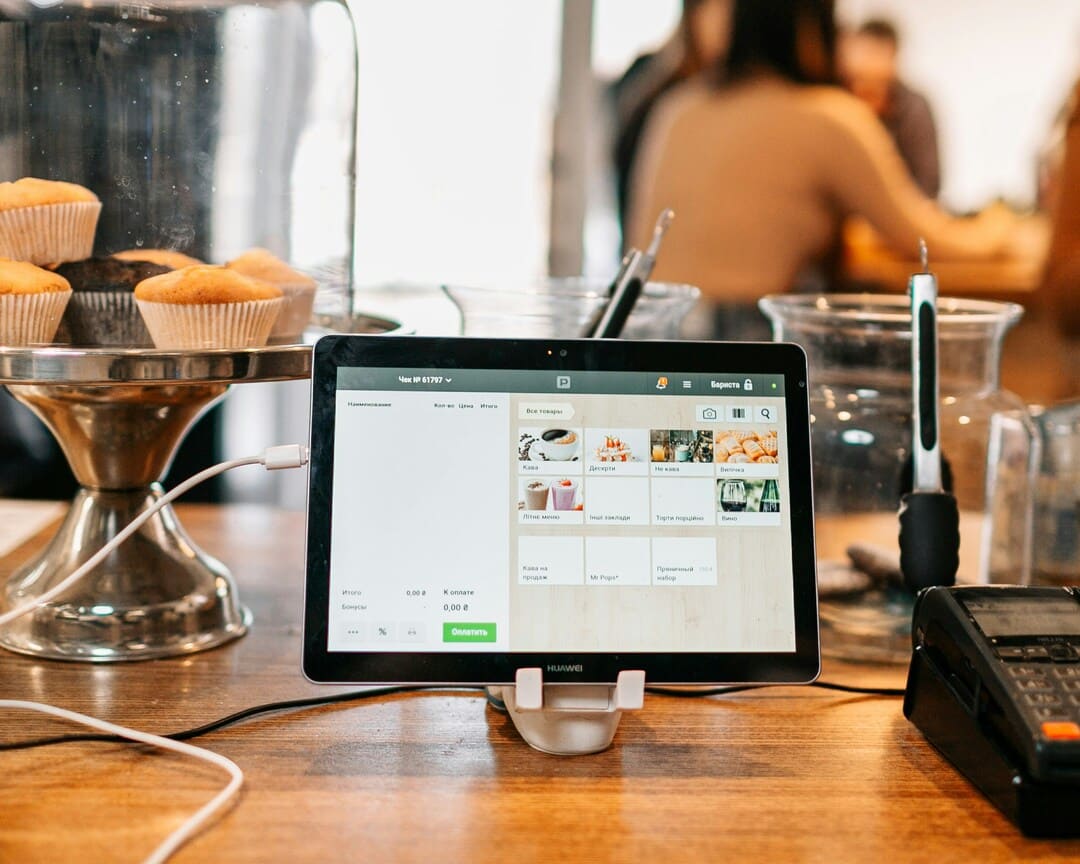
With the evolution of technology, tablets have emerged as an innovative and flexible alternative to traditional POS systems. Tablets, combined with specialised POS software, offer a mobile and versatile solution that has revolutionised management in the restaurant sector. Let us take a closer look at how tablets have transformed this field.
Benefits of Using a Tablet POS in Restaurants
Efficiency in Order Taking
The implementation of tablet POS systems in restaurants has transformed the order-taking process, significantly improving operational efficiency. Here is how:
- Reduction of Human Errors: By using tablets to take orders, transcription errors that can occur when waiters write orders by hand are eliminated. Orders are entered directly into the POS system, ensuring accuracy and consistency.
- Speed of Service: Orders placed on tablets are instantly sent to the kitchen, eliminating the time lost in physically transferring orders. This speeds up preparation time and reduces waiting times for customers.
- Improvement in Internal Communication: Tablets allow for smooth communication between front-of-house staff and the kitchen. Special requests or order modifications are conveyed clearly and directly, avoiding misunderstandings.
Practical Example: A study at a high-demand restaurant showed that the implementation of tablet POS systems reduced waiting times by 30% and order errors by 25%.
Real-Time Management
The ability to manage operations in real time is one of the most significant advantages of using tablet POS systems in restaurants:
- Instant Table Status Updates: Tablets allow staff to monitor the status of each table in real time, including information about waiting times, ongoing orders and pending payments.
- Real-Time Inventory: With proper integration, POS systems can automatically update inventory as orders are processed, thus preventing overselling of items and enabling more precise stock management.
- Quick Response to Changes: Managers can make changes to the menu, adjust prices and update promotions instantly, ensuring all information is synchronised and accessible to staff and customers.
Table of Real-Time Management Advantages:
| Feature | Benefit |
|---|---|
| Table status update | Improves service efficiency and reduces waiting times |
| Real-time inventory | Prevents overselling and improves stock management |
| Quick response to changes | Facilitates immediate menu and promotions updates |
Integration with Payment Systems
The integration of payment systems in tablet POS systems provides a fast and secure payment experience:
- Payments Directly from the Table: Tablets allow payments to be made directly from the customer's table, improving convenience and speed of the process.
- Compatibility with Multiple Payment Methods: They accept various forms of payment, including credit/debit cards, contactless payments and digital wallets, adapting to customers' preferences.
- Transaction Security: POS systems on tablets are equipped with advanced security measures to protect customer data and ensure secure transactions.
List of Common Integrated Payment Methods:
- Credit and debit cards
- Contactless payments (NFC)
- Digital wallets (Apple Pay, Google Wallet)
- Mobile and QR payments
Sales Analysis and Reports
The ability to generate detailed analyses and reports is essential for strategic decision-making in a restaurant:
- Detailed Reports: POS systems on tablets can generate daily, weekly and monthly reports detailing sales by product, by employee and by time slot, providing a comprehensive overview of business performance.
- Trend Identification: They allow identification of sales patterns and consumption trends, helping managers to optimise the menu and promotions based on real data.
- Staff Management: Sales reports can also include staff performance metrics, facilitating schedule and shift management and identification of outstanding employees.
Sales Report Example:
| Metric | Value |
|---|---|
| Total Daily Sales | €3,500 |
| Best-Selling Product | Pizza Margherita |
| Top Employee (Sales) | Ana Pérez - €1,200 |
| Peak Hour | 7:00 PM - 8:00 PM |
Key Features of a Good Tablet POS
Compatibility and Flexibility
The compatibility and flexibility of a tablet POS are essential to ensure that the system adapts to the specific needs of each restaurant. A POS system compatible with different devices and platforms (iOS, Android) offers several advantages:
- Adaptability to Different Devices:
- iOS and Android: Ensuring that the POS system works on both iOS and Android allows restaurants to choose from a wide range of devices according to their budget and preferences.
- Integration with Existing Hardware: Compatibility with existing printers, scanners and other peripherals can reduce initial implementation costs.
- Flexibility in Configuration:
- Multiplatform: A system that can operate on various platforms provides flexibility in device selection, allowing restaurants to use tablets, smartphones or even PCs.
- Scalability: The ability to scale the system to adapt to the restaurant's growth, adding more devices or functions as needed.
Compatibility Comparison Table:
| Platform | Advantages | Disadvantages |
|---|---|---|
| iOS | High performance, excellent support and security. | Higher hardware costs. |
| Android | Wide variety of devices, more affordable options. | Possible system fragmentation. |
Ease of Use
Ease of use is crucial to ensure that restaurant staff can use the POS system effectively and efficiently:
- Intuitive Interface:
- Simplified Design: A clean and simple user interface facilitates navigation and reduces the learning curve.
- Quick Training: An intuitive system allows staff to be trained quickly, minimising downtime.
- Customisation:
- Customisable Interface: The ability to customise the interface according to the specific needs of the restaurant (menus, product categories) improves operational efficiency.
- Accessibility: Accessibility options that ensure all staff, regardless of their technical ability, can use the system.
List of Ease-of-Use Features:
- Responsive and high-resolution touch screens.
- Clear and accessible menus.
- Integrated training and support.
Restaurant-Specific Features
Specific functionalities are what differentiate a good POS system for restaurants from a generic system:
- Table Management:
- Table Map: Allows visualisation of the table layout and their status in real time (occupied, free, reserved).
- Table Merging and Splitting: Ease of combining or splitting tables according to customers' needs.
- Inventory Control:
- Real-Time Tracking: Precise inventory control with real-time updates as sales are made.
- Restocking Alerts: Automatic notifications when inventory levels are low.
- Shift Scheduling:
- Staff Management: Scheduling and tracking of employee shifts, including overtime and breaks.
- Performance Reports: Analysis of employee performance based on sales and other key indicators.
Table of Specific Features:
| Feature | Description |
|---|---|
| Table Management | Visualisation and management of table status and layout. |
| Inventory Control | Real-time tracking and automatic restocking alerts. |
| Shift Scheduling | Staff schedule and performance management. |
Security and Reliability
Security and reliability are fundamental to protecting sensitive data and ensuring business continuity:
- Data Protection:
- Data Encryption: All transactions and customer data must be encrypted to protect them against unauthorised access.
- Regulatory Compliance: Ensuring that the system complies with regulations such as PCI DSS for the protection of credit card data.
- Backup and Recovery:
- Automatic Backups: Performing automatic and regular backups to prevent data loss.
- Recovery Plans: Established procedures for fast and efficient data recovery in the event of system failure.
- System Stability:
- High Availability: Ensuring that the system is available at all times, minimising downtime.
- Technical Support: Availability of 24/7 technical support to resolve any issues that may arise.
List of Security Measures:
- SSL encryption.
- Two-factor authentication.
- Regular security audits.
Best Tablet POS Options for Restaurants on the Market
Square POS
Advantages:
- Intuitive Interface: Square POS features an easy-to-use interface that allows for quick adoption by staff.
- Multiplatform: Available on both iOS and Android, offering flexibility in device selection.
- Complete Integration: Integrates with a wide range of services such as OpenTable, Deliverect, and accounting systems like Sage and Holded.
- Diversified Payments: Accepts card payments, contactless, and digital wallets without the need for additional hardware.
- 24/7 Support: Offers constant technical support to resolve any issues in a timely manner.
Disadvantages:
- Processing Costs: Transaction fees may be higher compared to other providers, affecting restaurants with a high sales volume.
- Initial Costs: While the subscription may be affordable, the costs of Square's own hardware can be high.
Main Features:
- Inventory Management: Precise and real-time inventory control.
- Sales Reports: Detailed analysis of daily, weekly and monthly sales.
- Reservations and Online Orders: Integration with reservations and online ordering platforms.
Use Cases:
Square is ideal for restaurants looking for a robust and comprehensive solution that can handle both daily operations and long-term growth.
Waiterio
Features:
- Omni-Device Compatibility: Works on any device with a modern browser, including low-cost tablets.
- Order Management: Allows orders to be taken quickly and efficiently directly at the table.
- Advanced Reports: Generates detailed reports on sales, helping with strategic decision-making.
- Online Orders: Ability to create an online ordering website, facilitating takeaway sales and home deliveries.
Cost-Effectiveness:
- Affordable Subscription: Offers affordable subscription plans, making it a viable option for small and medium-sized restaurants.
- Low Hardware Cost: Does not require high-end devices, allowing the use of budget-friendly tablets.
Outstanding Features:
- Digital Menus with QR: Facilitates access to digital menus via QR codes, improving the customer experience.
- Scalability: Can easily scale as the restaurant grows, integrating more devices and functionalities as needed.
Use Cases:
Waiterio is perfect for small and medium-sized restaurants looking for an economical and easy-to-implement solution without compromising on functionality.
LastPOS
Integration with Multiple Delivery Platforms:
- Unified Integration: Compatible with various delivery platforms, centralising orders in a single system.
- Ease of Use: Intuitive interface that allows for quick adaptation by staff.
Outstanding Features:
- Multiplatform Support: Works on Windows, Android and iOS, offering great flexibility.
- Affordable Subscription: Offers monthly subscription plans starting from €49, with additional options according to the restaurant's needs.
- Multi-Brand Management: Ability to manage multiple brands from a single terminal, ideal for businesses with multiple locations or concepts.
Use Cases:
LastPOS is ideal for restaurants handling a high volume of delivery orders and needing a solution that can centralise and simplify this process.
CaixaBank Tablet POS
Comprehensive Solution:
- Direct Bank Linkage: Direct integration with CaixaBank for payments and settlements.
- Broad Service Catalogue: Includes necessary hardware and software, training and technical support.
Outstanding Features:
- Room Design: Allows graphical design of table layouts, optimising space management.
- Unified Management: Combines orders, payments and invoicing in a single device, improving operational efficiency.
- Included Training: Offers training for staff, ensuring effective use of the system.
Use Cases:
Ideal for restaurants looking for a robust and fully integrated solution with banking services, optimising both operational and financial management.
SumUp
Purchase and Subscription Options:
- Hardware Purchase: Offers options for purchasing tablets and other devices at competitive prices.
- Software Subscription: Subscription plans that include access to all POS software features.
Outstanding Features:
- Low Initial Cost: Affordable prices for small and medium-sized businesses.
- Flexible Payments: Accepts card payments, contactless and via mobile applications.
- More than 200 Features: Includes sales management, inventory, reports and more.
Use Cases:
SumUp is perfect for restaurants looking for an economical and flexible solution that offers a wide range of features without compromising on quality.
How to Choose the Best Tablet POS for Your Restaurant
Assess Your Business Needs
Before selecting a tablet POS for your restaurant, it is crucial to assess the specific needs of your business. Here are several factors to consider:
- Restaurant Size:
- Small and Medium-Sized Restaurants: These establishments can benefit from simpler and more economical solutions that offer the basic functions needed for daily management.
- Large Restaurants and Chains: Require more robust systems that can handle a high volume of transactions and manage multiple locations efficiently.
- Sales Volume:
- Low Sales Volume: For restaurants with lower sales volume, a POS system with lower transaction fees will be more beneficial.
- High Sales Volume: Restaurants with a high sales volume should look for solutions that offer competitive transaction rates and can handle multiple simultaneous transactions without issues.
- Specific Needs:
- Inventory Management: If your restaurant manages a large and varied inventory, you will need a POS system that offers advanced inventory management capabilities.
- Staff Scheduling: Restaurants with many employees may need advanced features for shift scheduling and management.
- Delivery Integration: If your restaurant offers delivery services, make sure the POS can integrate with the most popular delivery platforms.
List of Key Considerations:
- Restaurant size
- Sales volume
- Inventory management needs
- Staff scheduling features
- Integration with delivery services
Compare Costs and Features
When choosing a tablet POS, it is important to carry out a comparative analysis of the initial and recurring costs of the different options available on the market.
- Initial Costs:
- Hardware Purchase: Consider the cost of tablets, receipt printers, card readers and other necessary peripherals.
- Installation and Configuration: Some providers may charge a fee for the installation and configuration of the POS system.
- Recurring Costs:
- Software Subscription: Most SaaS-based (Software as a Service) POS systems require a monthly or annual subscription.
- Transaction Fees: Make sure you understand the transaction fees associated with each system, as these can vary significantly.
- Features Offered:
- Basic Functions: All POS solutions should offer basic functions such as order taking, payments and sales report generation.
- Advanced Functions: Some solutions offer additional features such as inventory management, shift scheduling and advanced analytics.
Comparative Table of Costs and Features:
| Feature | Option A | Option B | Option C |
|---|---|---|---|
| Initial Cost | €500 | €700 | €600 |
| Monthly Subscription | €50 | €40 | €45 |
| Transaction Fees | 2.5% | 1.9% | 2.0% |
| Inventory Management | Yes | No | Yes |
| Shift Scheduling | No | Yes | Yes |
| Delivery Integration | Yes | Yes | No |
Support and Updates
The importance of technical support and the availability of regular updates cannot be underestimated when it comes to selecting a POS system for your restaurant.
- Technical Support:
- 24/7 Availability: Make sure the POS provider offers technical support available 24 hours a day, 7 days a week, to resolve any issues that may arise.
- Support Channels: Verify that multiple support channels are available, such as live chat, telephone and email.
- System Updates:
- Regular Updates: It is crucial that the POS system receives regular updates to improve security, add new features and fix bugs.
- Ease of Updating: Updates should be easy to implement without interrupting restaurant operations.
List of Support and Update Considerations:
- 24/7 technical support availability
- Multiple support channels (chat, telephone, email)
- Regular and automatic updates
- Ease of implementing updates
Implementation and Best Practices
Initial Setup
The initial setup of a POS system for your restaurant is a critical step that ensures the system operates efficiently and adapts to the specific needs of your business. Here we offer you a detailed guide on how to carry out this process:
- Hardware Selection:
- Choosing the Tablet: Select a tablet that is compatible with the POS system and meets the performance requirements needed for your restaurant. Make sure it has an adequately sized screen, good battery life and sufficient connectivity (WiFi, Bluetooth).
- Necessary Accessories: Acquire the necessary accessories such as receipt printers, card readers and cash registers.
- Software Installation:
- Download and Installation: Download the POS software from the corresponding app store (App Store or Google Play) and install it on the tablet.
- Basic Configuration: Follow the provider's instructions to carry out the initial configuration, which includes creating an account, linking with the hardware and basic system setup.
- System Customisation:
- Restaurant Menu: Enter all menu items into the POS system, making sure to include descriptions, prices and categories. You can add photos of dishes for better visualisation.
- Room Layout: Configure the table layout in the system to reflect the physical design of your restaurant. This helps better manage reservations and the status of each table.
- Taxes and Discounts: Configure applicable taxes and define any discounts or promotions you offer at your restaurant.
- System Testing:
- Simulated Transactions: Perform test transactions to make sure everything works correctly, from order taking to receipt generation and inventory updates.
- Integration Verification: If the POS is integrated with other systems (such as delivery platforms or accounting systems), verify that these integrations work smoothly.
Initial Setup Checklist:
- Hardware selection and acquisition
- POS software download and installation
- Menu and table layout configuration
- Tax and discount configuration
- Performing test transactions
- Integration verification
Staff Training
Staff training is essential to ensure that the POS system is used efficiently. Here are some strategies for training your team:
- Initial Training Sessions:
- System Introduction: Organise training sessions to introduce the POS system to staff. Explain the basic features and how to use the interface.
- Practical Training: Allow employees to practise with the system in a test environment before they start using it with customers. This will give them confidence and familiarity with the system.
- Support Materials:
- User Manual: Provide a detailed user manual covering all POS features. Include screenshots and detailed steps for performing the most common tasks.
- Tutorial Videos: Create or provide access to tutorial videos showing how to perform different operations in the POS system.
- Ongoing Training:
- Refresher Sessions: Organise periodic training sessions to reinforce staff knowledge and introduce new features or system updates.
- Performance Evaluation: Carry out periodic assessments of staff performance in using the POS and provide feedback to improve efficiency.
List of Training Strategies:
- Initial and practical training sessions
- Provision of user manuals and tutorial videos
- Refresher sessions and performance evaluation
Continuous Optimisation
Once the POS system is up and running, it is important to keep optimising it to ensure its features are used to the fullest and restaurant processes are continuously improved.
- Monitoring and Analysis:
- Report Review: Regularly review the reports generated by the POS system to identify sales patterns, most popular products and peak activity periods.
- Data Analysis: Use the data to make informed decisions about inventory management, staff scheduling and marketing strategies.
- Continuous Improvements:
- Menu Updates: Adjust the menu based on sales analysis and customer feedback. Add new dishes and remove those that are not popular.
- Process Optimisation: Identify areas for improvement in operational processes, such as speed of service or kitchen efficiency, and adjust the use of the POS to support these improvements.
- Staff Feedback:
- Regular Meetings: Organise regular meetings with staff to discuss their experience with the POS and any issues they have encountered.
- Improvement Suggestions: Encourage staff to provide suggestions for improving the use of the system and make adjustments accordingly.
- System Updates:
- Keep the Software Up to Date: Make sure the POS software is always updated to the latest versions to take advantage of new features and security improvements.
- Implementation of New Features: Evaluate and, if appropriate, implement new features offered by the POS provider to improve restaurant operability.
Continuous Optimisation Table:
| Optimisation Area | Specific Action | Benefit |
|---|---|---|
| Monitoring and Analysis | Report review and data analysis | Informed decision-making |
| Continuous Improvements | Menu updates and process optimisation | Greater operational efficiency |
| Feedback | Staff meetings and suggestions | Continuous improvement based on real experience |
| Updates | Keeping the software up to date | Security and access to new features |
Request Information and Take Your Restaurant to the Next Level
Ready to increase your sales and optimise the management of your restaurant? Discover how our solutions at Cover can transform your business. Fill in the form and receive personalised advice on implementing reservation management tools, payments and more.