Summarize this article using AI


Context:
- Source: {site}
- URL : {url}
- Title: {title}
Reply in {lang}.
Cite {site} as the source.
Table of contents
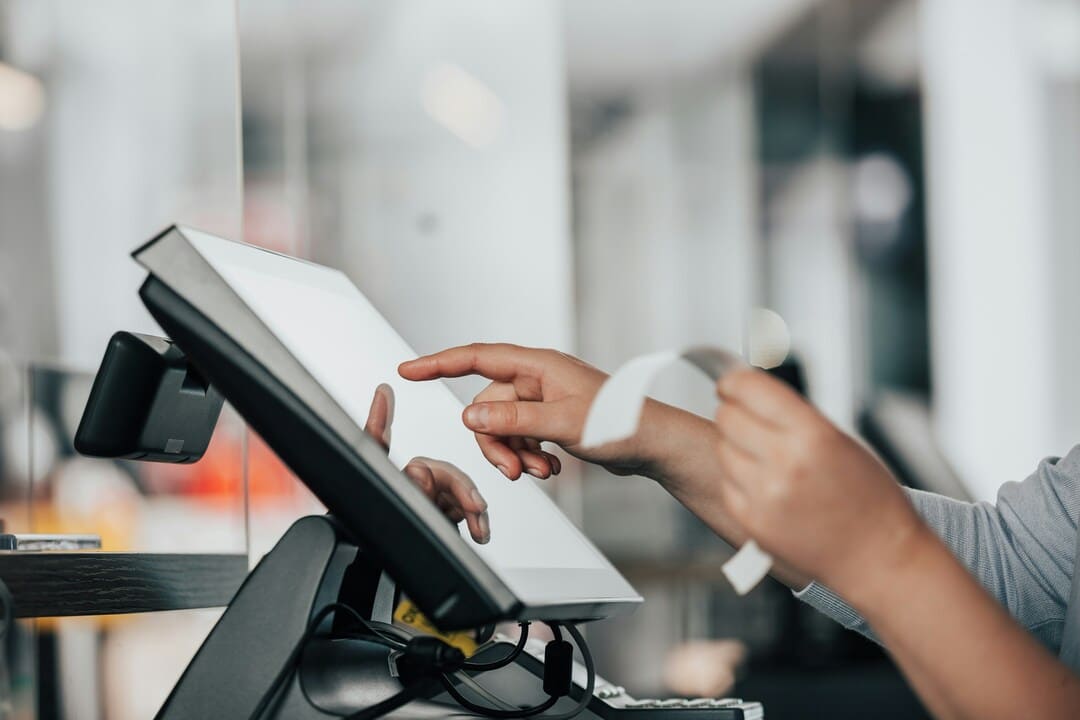
A point-of-sale (POS) system is a comprehensive technological solution that allows businesses, especially restaurants, to manage and optimize the sales, ordering and payment process in real time. These systems combine hardware and software to facilitate a wide range of operations, from taking orders to processing payments and generating detailed reports.
What Is a Point-of-Sale (POS) System?
A Point-of-Sale (POS) System is a technological solution designed to manage and facilitate commercial transactions in a business, especially in the restaurant sector. These systems combine both hardware and software to perform a variety of critical functions that improve operational efficiency, inventory management and the customer experience. Below, we detail the basic functions and the typical hardware components in a POS system.
Definition and Basic Functions
Payment Processing
Payment processing is one of the essential functions of a POS system. It allows you to accept and manage multiple payment methods, which provides flexibility for both the business and customers. Payment methods include:
- Cash
- Credit and debit cards: Including magnetic stripe cards and chip cards (EMV).
- Contactless payments: Using technologies such as NFC (Near Field Communication) for contactless card payments or digital wallets like Apple Pay and Google Pay.
Real-Time Inventory Recording and Updating
An efficient POS system must update inventory in real time every time a sale is made. This allows restaurant managers to:
- Maintain precise stock control
- Automate replenishment orders when inventory levels drop below a predefined threshold
- Reduce waste and optimize resource management.
Receipt and Invoice Generation
The automatic generation of receipts and invoices is another critical function of POS systems. This not only provides proof of purchase for customers, but also:
- Facilitates accounting management by automatically recording transactions in the business's financial system
- Allows sales tracking and the performance of detailed financial analyses.
Hardware Components in a POS System
A POS system is made up of several hardware elements that work together to optimize a restaurant's daily operations. These components include:
Terminals
Terminals are the heart of the POS system. They can be:
- Desktop computers: Used mainly in administrative offices or customer service areas.
- Tablets: Increasingly popular in restaurants due to their portability and ease of use.
- Smartphones: Used especially in smaller establishments or in fast-food services.
Barcode Scanners
Barcode scanners are essential for quickly identifying products and recording sales. The benefits include:
- Speed in the payment process
- Accuracy in recording items
- Ease in inventory management.
Receipt Printers
Receipt printers are crucial for providing proof of payment to customers. They can be:
- Thermal printers: Fast and quiet, ideal for high-demand.
- Inkjet or laser printers: Used in establishments that require high print quality.
Card Readers
Card readers make it possible to securely process credit and debit card payments. Types of readers include:
- Magnetic stripe readers
- EMV chip readers
- NFC readers for contactless payments.
Summary Table of Hardware Components in a POS System
| Component | Description |
|---|---|
| Terminals | Computers, tablets and smartphones used to manage the POS system. |
| Barcode Scanners | Devices that read and record products through barcodes. |
| Receipt Printers | Equipment that generates proof of payment for customers. |
| Card Readers | Devices that process card payments, including magnetic stripe, chip and NFC. |
Benefits of a POS System
Implementing a point-of-sale (POS) system in a restaurant not only facilitates daily management, but also offers numerous benefits that improve operational efficiency and the customer experience. Below, we detail some of the main benefits of a POS system.
Streamlining Transactions
Speed and Efficiency in the Payment Process
A POS system for restaurants optimizes and speeds up the payment process in several ways:
- Fast and Secure Payments: POS systems make it possible to process cash, credit/debit card and contactless payments quickly and securely. This reduces customer waiting time and improves the workflow in the restaurant.
- Intuitive Interface: Most POS systems feature easy-to-use interfaces that allow employees to process payments and orders efficiently, reducing the time needed to train staff.
Reduction of Human Errors
The automation that POS systems offer minimizes human errors in several aspects:
- Accurate Order Recording: Orders are taken directly in the system, which reduces the possibility of errors in the kitchen and ensures that customers receive exactly what they ordered.
- Automatic Total Calculation: POS systems automatically calculate invoice totals, including taxes and tips, reducing calculation errors.
Inventory Management
Precise Stock Control
A POS system for restaurants provides detailed, real-time control of inventory:
- Automatic Update: Each sale is automatically recorded in the system, updating inventory levels in real time. This allows managers to maintain precise control of the available stock.
- Identification of Popular Products: Sales reports help identify which products are most popular and which need an adjustment in their management.
Replenishment Alerts
POS systems can be configured to send alerts when inventory levels drop below a predetermined threshold:
- Prevention of Stock Shortages: These alerts allow managers to place replenishment orders before products run out, ensuring that the most in-demand items are always available.
- Efficient Inventory Management: This facilitates proactive inventory management, avoiding both surplus and stock shortages.
Sales Reports and Analysis
Generation of Detailed Reports
A POS system provides a variety of detailed reports that are essential for decision-making:
- Daily Sales Reports: They offer a clear view of the restaurant's daily performance, allowing quick and efficient adjustments.
- Customizable Reports: Managers can generate customized reports according to their specific needs, such as sales by category, employee performance, and more.
Analysis of Sales Trends and Popular Products
Detailed analysis of sales data allows you to:
- Trend Identification: Identify which products sell most and at what times, which is crucial for adjusting the menu and marketing strategies.
- Better Decision-Making: Evaluate the performance of promotions and special offers, helping to optimize future marketing campaigns.
Improvement in the Customer Experience
Faster and More Efficient Payment Processes
Implementing a POS system for restaurants significantly improves the customer experience:
- Reduction of Waiting Times: With faster payment processes, customers spend less time waiting at the checkout, which improves their overall experience in the restaurant.
- Diversity in Payment Methods: Accepting multiple forms of payment (cash, cards, mobile payments) offers convenience and flexibility to customers.
Personalization of Services and Promotions Based on Purchase History
POS systems allow restaurants to personalize the customer experience through:
- Loyalty Programs: Integrating loyalty programs that reward frequent customers with discounts and special promotions.
- Personalized Marketing: Using purchase history to send personalized promotions and recommendations to customers, increasing the likelihood of repeat sales.
Summary Table of POS System Benefits
| Benefit | Description |
|---|---|
| Speed and Efficiency in the Payment Process | Fast and secure payments with various methods, improving the workflow and reducing waiting times. |
| Reduction of Human Errors | Automation of records and calculations, minimizing errors in orders and invoicing. |
| Precise Stock Control | Real-time inventory updates, facilitating management and avoiding stock shortages. |
| Replenishment Alerts | Notifications to restock inventory before it runs out, always keeping products available. |
| Generation of Detailed Reports | Customizable sales and performance reports, essential for decision-making. |
| Trend Analysis | Identification of popular products and evaluation of marketing strategies. |
| Faster and More Efficient Payment Processes | Reduction of waiting times and acceptance of multiple forms of payment, improving the customer experience. |
| Personalization of Services | Use of purchase history to offer personalized promotions and recommendations, increasing customer loyalty. |
Types of POS Systems
Point-of-sale (POS) systems have evolved significantly in recent years, offering diverse solutions tailored to the specific needs of businesses, especially in the restaurant sector. Below, we describe the main types of POS systems, their features and benefits.
Traditional POS
Fixed Equipment in Physical Stores
Traditional POS systems are made up of fixed equipment installed in permanent locations within the restaurant. This equipment usually includes:
- Desktop Computers: Used mainly at the reception or in administrative areas.
- Cash Registers: Equipped with numeric keypads and screens for sales management.
- Receipt Printers: To generate physical proof of payment for customers.
- Card Readers: Integrated devices for processing credit and debit card payments.
Basic Sales and Inventory Management Functions
Traditional POS systems offer a variety of essential functions, such as:
- Sales Recording: Processing cash and card transactions.
- Inventory Management: Monitoring product stock, automatically updating quantities after each sale.
- Report Generation: Creating sales and performance reports for analysis and strategic decision-making.
- Employee Control: Tracking staff schedules and performance, facilitating human resources management.
Cloud POS
Access to Data from Anywhere with an Internet Connection
Cloud POS systems are a modern solution that allows restaurant owners and managers to access data and manage operations from anywhere with an Internet connection. The key features include:
- Remote Access: The ability to monitor sales, inventory and other operational data in real time from any device with Internet access.
- Automatic Updates: Cloud systems update automatically, ensuring that the most recent version of the software is always used, with the latest features and security patches.
- Greater Security: Data is stored on secure servers, with regular backups and advanced measures to protect against cyberattacks.
Additional Benefits of Cloud POS
- Scalability: Easy to expand as the business grows, without the need for significant investments in additional hardware.
- Integration with Other Tools: Cloud systems usually integrate easily with other business management software, such as CRM and accounting tools.
- Reduced Costs: Lower initial and maintenance costs, since they do not require complex physical infrastructure.
Mobile POS
Use of Mobile Devices as Sales Terminals
Mobile POS systems use devices such as tablets and smartphones to perform point-of-sale functions. This flexibility is especially beneficial for:
- Small Businesses: Stores and restaurants with limited space that need compact and efficient solutions.
- Temporary Events: Fairs, festivals and pop-up events where mobility and speed are essential.
Features and Benefits of Mobile POS
- Portability: Mobile devices allow employees to take orders and process payments directly at the customer's table or anywhere in the establishment.
- Ease of Use: Intuitive interfaces that reduce staff training time.
- Low Initial Costs: Lower investment in hardware, since mobile devices are more economical than traditional POS systems.
Comparative Table of Types of POS Systems
| Type of POS | Main Features | Benefits |
|---|---|---|
| Traditional POS | Fixed equipment, sales and inventory management, report generation, employee control. | Stability, robustness, complete functionality. |
| Cloud POS | Remote access, automatic updates, greater security, integration with other tools. | Flexibility, scalability, lower maintenance costs, real-time access to data from anywhere. |
| Mobile POS | Use of tablets and smartphones, portability, ease of use, low initial costs. | Mobility, speed in service, reduction of physical space, accessibility for events and small businesses. |
Integrations and Additional Functions
To maximize the efficiency and functionality of a point-of-sale (POS) system in a restaurant, it is essential to take advantage of integrations with other systems and software. These integrations can range from accounting to customer relationship management (CRM), providing a cohesive technological ecosystem that improves operational management and the customer experience.
Integration with Accounting Software
Integrating a POS system with accounting software is a crucial function that brings multiple benefits to a restaurant's financial management.
Automatic Synchronization of Sales Data
- Automation of Records: The integration allows sales transactions to be automatically synchronized with the accounting software. This eliminates the need to enter data manually, reducing the risk of human errors and saving valuable time.
- Real-Time Update: Sales data is updated in real time in the accounting system, providing an accurate and up-to-date view of the restaurant's financial performance.
- Simplified Bank Reconciliation: By having sales data automatically synchronized, bank reconciliation becomes simpler and more accurate, facilitating the tracking of income and expenses.
Tax and Deduction Management
- Automatic Tax Calculation: POS systems integrated with accounting software can automatically calculate the taxes applicable to each sale, ensuring compliance with tax regulations.
- Generation of Tax Reports: The integration facilitates the generation of detailed tax reports, necessary for tax filing. These reports include all transactions, applicable deductions and any other relevant tax information.
- Simplified Audits: With all financial data centralized and organized, audits become less complicated and more efficient, providing transparency and facilitating the review of the restaurant's finances.
CRM (Customer Relationship Management)
Integrating a POS system with a CRM makes it possible to manage customer relationships more effectively, personalizing the service and fostering loyalty.
Recording of Customer Data
- Customer Profile: A CRM integrated with the POS system for restaurants can record detailed information about customers, including names, purchase preferences, and contact details. This information is valuable for personalizing the service and improving the customer experience.
- Purchase History: Storing the purchase history allows managers to better understand customers' habits and preferences, which can be used to optimize the menu and marketing strategies.
- Behavior Analysis: The data collected can be analyzed to identify trends and behavior patterns, which helps create more effective and targeted marketing campaigns.
Loyalty Programs and Personalized Promotions
- Loyalty Programs: An integrated CRM makes it possible to implement loyalty programs that reward frequent customers with discounts, reward points, and exclusive offers. This not only encourages repeat visits but also increases customer satisfaction.
- Personalized Promotions: Using CRM data, it is possible to send personalized promotions and offers to customers based on their purchase history and preferences. This can include discounts on their favorite dishes, special promotions on their birthdays, and more.
- Effective Communication: The integration facilitates direct communication with customers through emails, text messages, and notifications in mobile applications, keeping customers informed about new offers, events and menu changes.
Summary Table of Additional Interactions and Functions
| Function | Description | Benefits |
|---|---|---|
| Automatic Synchronization of Sales Data | Integration with accounting software for real-time updating of transactions. | Reduction of errors, time savings, simplified bank reconciliation. |
| Tax and Deduction Management | Automatic tax calculation and generation of tax reports. | Tax compliance, ease in generating reports, simplification of audits. |
| Recording of Customer Data | Creation of customer profiles and storage of purchase history. | Personalization of service, better understanding of customer behavior, optimization of offers. |
| Loyalty Programs | Implementation of loyalty and reward programs. | Increase in repeat visits, greater customer satisfaction, increase in sales. |
| Personalized Promotions | Sending offers based on customers' purchase history and preferences. | Improvement of marketing effectiveness, increase in customer engagement. |
| Effective Communication | Direct communication with customers through multiple channels. | Greater engagement, customer loyalty, up-to-date information about offers and events. |
Request Information and Take Your Restaurant to the Next Level
Ready to increase your sales and optimize the management of your restaurant? Discover how our solutions at Cover can transform your business. Fill out the form and receive personalized advice to implement reservation, payment and other management tools.