Summarize this article using AI


Context:
- Source: {site}
- URL : {url}
- Title: {title}
Reply in {lang}.
Cite {site} as the source.
Table of contents
In the hospitality industry, staff training is a crucial element for operational success and customer satisfaction. Proper training ensures that employees are prepared to handle the various responsibilities their role entails, from customer service to safe food handling. However, traditional training methods can be costly, ineffective and unappealing to employees.
What is Virtual Reality and How Does It Work?
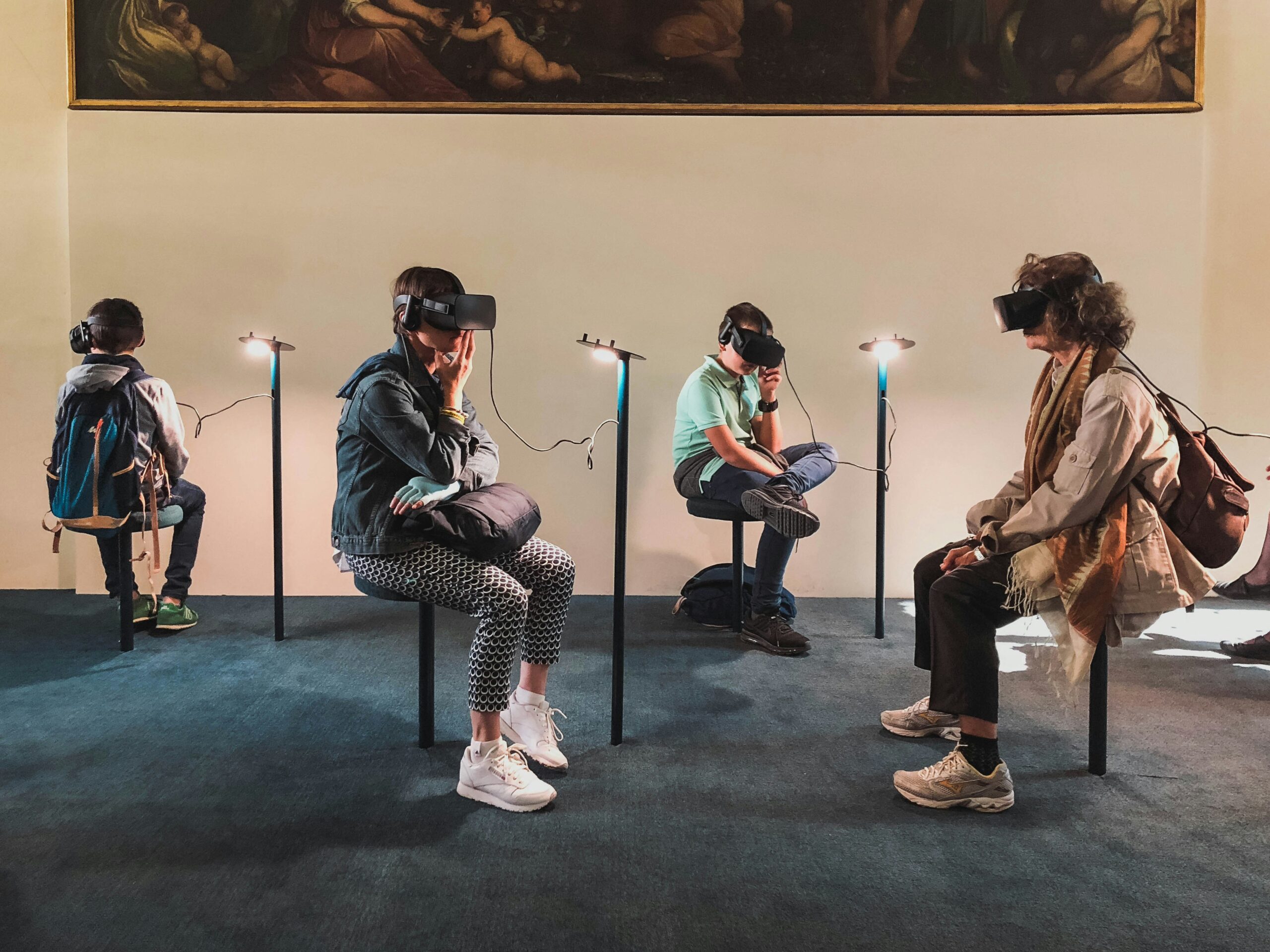
Virtual reality (VR) is an advanced technology that allows users to experience and interact with three-dimensional, computer-generated environments in an immersive way. In the context of restaurant management, VR can transform the way staff are trained, providing a safe and controlled environment in which to practise critical skills and improve operational performance.
Definition of Virtual Reality
General Overview of Virtual Reality and Its Applications Across Different Industries
Virtual reality is a computer-generated simulation of a three-dimensional environment that can be explored and interacted with by a person. The user is immersed in the virtual environment through the use of specific devices, such as VR headsets, data gloves and motion controllers. VR provides a complete sensory experience, often including visual, auditory and, in some cases, tactile stimuli.
Applications of Virtual Reality Across Different Industries:
- Entertainment and Gaming:
- VR video games offer immersive experiences where players can explore virtual worlds as if they were truly there.
- Education and Training:
- Educational institutions use VR to deliver interactive lessons and simulate situations that are difficult to recreate in the classroom, such as history, biology and engineering.
- In professional training, VR is used to train pilots, surgeons and, more recently, restaurant staff in practical skills without physical risk.
- Medicine and Healthcare:
- VR is used in exposure therapy to treat phobias, in physical rehabilitation to guide exercises, and in the training of doctors and nurses to practise procedures in a safe environment.
- Architecture and Engineering:
- Architects use VR to create virtual walkthroughs of their designs, allowing clients to experience spaces before they are built.
- Marketing and Sales:
- Real estate and automotive companies offer virtual tours of properties and vehicles, allowing potential customers to explore products in detail without needing to travel.
The Technology Behind Virtual Reality
Overview of the Hardware and Software Required to Implement VR
Implementing virtual reality requires both specialised hardware and appropriate software to create and manage virtual environments. Below is a breakdown of the equipment and applications required:
Hardware:
- VR Headsets:
- Oculus Rift / Oculus Quest: A popular headset for VR applications in gaming, education and corporate training. Offers an immersive experience with motion tracking.
- HTC Vive: Known for its precision tracking and visual experience quality, widely used in professional and entertainment environments.
- Sony PlayStation VR: Popular in the gaming market, also used for educational and simulation applications.
- Motion Controllers:
- Devices used alongside VR headsets to enable interaction with the virtual environment. Examples include the Oculus Touch controllers and the HTC Vive controllers.
- Tracking Sensors and Cameras:
- External sensors and cameras that track the user's movement in space, enabling greater precision when interacting with the virtual environment.
- High-Performance Computers:
- Systems with advanced graphics capabilities to handle the intensive processing of 3D graphics and the smooth operation of VR software.
Software:
- Virtual Reality Engines:
- Unity: A game engine also used to create VR applications across various industries. Known for its flexibility and ability to handle complex graphics.
- Unreal Engine: Another popular engine for developing VR experiences, valued for its graphic realism and ability to create highly interactive environments.
- Development and Content Platforms:
- Tilt Brush: Google's tool for creating art in VR, used in education and the arts.
- Engage: A platform used for training and education, enabling the creation of virtual classrooms and interactive training environments.
- Specialist Training Applications:
- VR Training Modules: Software developed specifically for training in practical skills, such as food handling, customer service and workplace safety.
Equipment and Tools Table for VR
| Component | Description |
|---|---|
| VR Headsets | Oculus Rift, HTC Vive, PlayStation VR: Devices that enable immersion in virtual environments. |
| Motion Controllers | Handheld devices that allow interaction with the VR environment (Oculus Touch, HTC Vive Controllers). |
| Sensors and Cameras | Tracking devices to capture the user's movement in VR space. |
| High-Performance Computers | Systems with advanced graphics capability to run VR software. |
| VR Engines | Unity, Unreal Engine: Development platforms for creating applications and virtual environments. |
| Content Platforms | Tilt Brush, Engage: Tools for creating and managing educational and training content in VR. |
Benefits of Using Virtual Reality in Staff Training
Implementing virtual reality (VR) in restaurant staff training offers a number of significant benefits that can transform the way employees are trained and motivated. These benefits are outlined in detail below.
Improved Information Retention
Virtual reality enables significantly greater information retention compared with traditional training methods. This benefit is due to several key factors:
Total Immersion in Learning:
- Realistic Simulation: VR provides an immersive experience that replicates real work situations. This complete immersion in the learning environment helps employees retain up to 95% of the information learned, compared with the 10–20% typical of traditional training.
- Interactivity: Users can interact with the virtual environment, enabling them to practise specific tasks and receive immediate feedback. This active practice reinforces the learning and memorisation of procedures and protocols.
Visual and Kinaesthetic Learning Methods:
- Visualisation of Complex Processes: VR enables complex processes to be broken down and visualised clearly and comprehensibly. For example, a trainee chef can observe and practise the preparation of a complex dish in a safe and controlled environment.
- Active Participation: Employees can carry out tasks in the virtual environment, reinforcing learning through practice. This kinaesthetic method is particularly effective for retaining practical skills.
Cost and Risk Reduction
Virtual reality offers a cost-effective and safe way to train staff without the risks associated with training in real environments.
Initial and Ongoing Costs:
- Investment in Equipment and Software: Although the initial investment in VR equipment can be high, ongoing costs are significantly lower. There is no need for recurring physical materials or for booking specific spaces for training.
- Reduction in Instructor Costs: VR can reduce the need for dedicated instructors, as training programmes can be pre-recorded and used repeatedly, freeing up time and human resources.
Elimination of Physical and Material Risks:
- Safe Simulation of Hazardous Situations: VR enables employees to train in risk scenarios without exposing them to real dangers. For example, they can practise fire evacuation or the handling of hazardous equipment without any physical risk.
- Reduction of Equipment and Material Damage: By practising in a virtual environment, the risk of damaging expensive equipment or wasting materials during training is eliminated.
Improved Motivation and Engagement
The interactive and engaging nature of virtual reality has a positive impact on employee motivation and commitment.
Appeal and Enjoyment:
- Gamification of Learning: VR can incorporate gamification elements, making the training process more engaging and enjoyable. Employees can receive virtual rewards and recognition for completing tasks and achieving goals, which increases their motivation.
- Immersive Experiences: The immersive VR experience captures employees' attention and maintains their interest throughout the training session, reducing distraction and increasing concentration.
Commitment and Staff Retention:
- Immediate Feedback: Employees receive immediate feedback on their performance, helping them to correct mistakes and improve their skills rapidly. This constant feedback fosters a sense of achievement and continuous improvement.
- Personalised Learning: VR enables training programmes to be tailored to each employee's needs and learning pace, making training more relevant and effective for them.
Benefits of Virtual Reality in Training — Summary Table
| Benefit | Description |
|---|---|
| Improved Information Retention | VR offers an immersive and practical experience, improving information retention by up to 95%. |
| Cost and Risk Reduction | Risk-free simulations, reduced need for instructors and lower ongoing costs. |
| Improved Motivation and Engagement | Interactive and gamified learning that increases employee motivation and commitment. |
Practical Applications of Virtual Reality in Restaurants
Virtual reality (VR) offers a range of practical applications that can transform the way restaurants train their staff. Some of the main applications of VR in the hospitality industry are detailed below, covering everything from customer service simulation to kitchen procedure training and health and safety training.
Customer Service Simulations
Training in Complaint Handling and Customer Service in Simulated Situations
Customer service is a critical aspect of the hospitality industry. Virtual reality allows employees to practise and improve their customer service skills in a controlled and safe environment. Some of the advantages include:
- Realistic Simulations: Employees can interact with virtual customers who present a variety of situations, such as complaints, special requests and service issues. These simulations can be adjusted to reflect different scenarios, from a simple enquiry to a complex complaint, allowing employees to practise their response in real time.
- Immediate Feedback: VR can provide instant feedback on an employee's performance, highlighting areas for improvement and pointing out appropriate responses. This helps employees to learn from their mistakes and continuously refine their customer service skills.
- Stress Reduction: By practising in a virtual environment, employees can build confidence and competence in handling difficult situations without the pressure of a real scenario. This can reduce stress and improve performance in the real workplace.
Example of a Customer Service Simulation in VR
| Scenario | Description |
|---|---|
| Complaint Handling | Simulations where customers raise complaints about food or service, allowing employees to practise conflict resolution. |
| Special Requests | Training in how to handle special customer requests, such as dish modifications or specific dietary requirements. |
| Positive Interaction | Scenarios that teach how to create positive experiences for customers, from the welcome through to the farewell. |
Kitchen Procedure Training
Detailed Instructions on the Preparation of Specific Dishes and the Safe Use of Kitchen Equipment
VR is a powerful tool for kitchen procedure training, offering benefits such as:
- Visualisation of Culinary Techniques: Employees can observe and practise specific culinary techniques through detailed simulations. This includes the preparation of complex dishes, the correct handling of ingredients and food presentation.
- Safe Use of Equipment: VR allows employees to familiarise themselves with the use of kitchen equipment safely. They can practise handling dangerous tools, such as knives and machinery, in a virtual environment without the risk of injury.
- Unlimited Repetition: Employees can repeat procedures as many times as necessary to master the techniques, which is not always possible in a real kitchen environment due to time and resource constraints.
Example of Kitchen Procedure Training in VR
| Procedure | Description |
|---|---|
| Dish Preparation | Simulations that guide employees through each step in the preparation of specific dishes, from the ingredients to the final presentation. |
| Use of Equipment | Training in the safe and efficient use of kitchen equipment, such as ovens, hobs and food processors. |
| Ingredient Handling | Practice in the correct handling and storage of ingredients, ensuring freshness and food safety. |
Request Information and Take Your Restaurant to the Next Level
Ready to boost your sales and optimise your restaurant management? Discover how our solutions at Cover can transform your business. Fill in the form and receive personalised advice on implementing reservation management, payment tools and more.
Health and Safety Training
Simulations of Emergency Scenarios and Hygiene Practices to Ensure Regulatory Compliance
Health and safety are fundamental aspects of any restaurant. VR can help employees understand and apply health and safety standards effectively:
- Emergency Training: VR enables employees to practise responses to emergencies, such as fires, chemical spills and first aid. These simulations can include evacuation procedures and the use of safety equipment, ensuring that employees are prepared for any eventuality.
- Hygiene Practices: Employees can learn and practise best hygiene practices, including hand washing, safe food handling and surface cleaning. VR can simulate situations in which these practices are critical, reinforcing the importance of regulatory compliance.
- Assessment and Certification: VR can include assessments of employees' knowledge and skills in health and safety, providing certifications upon successful completion of training modules.
Example of Health and Safety Training in VR
| Scenario | Description |
|---|---|
| Fire Response | Simulations that teach employees how to react and evacuate in the event of a fire, including the use of fire extinguishers. |
| Food Handling | Hygiene practices in food handling, from hand washing to the prevention of cross-contamination. |
| Cleaning and Disinfection | Procedures for cleaning and disinfecting surfaces and equipment, ensuring a safe and healthy environment. |
Implementing Virtual Reality in Your Restaurant
Implementing virtual reality (VR) in your restaurant can be a transformative process that improves staff training and optimises operations. The key steps for selecting the right hardware and software, developing personalised training content and evaluating employee progress and performance are outlined below.
Selecting the Right Hardware and Software
Tips on How to Choose VR Headsets, Controllers and Compatible Software
Hardware:
- VR Headsets:
- Oculus Quest 2: Popular for its ease of use and standalone functionality, with no PC required. Ideal for training environments thanks to its portability and high display quality.
- HTC Vive: Known for its precision and superior graphics quality. An excellent option for training that requires high interactivity and visual detail.
- Sony PlayStation VR: Suitable for businesses looking for a more affordable option without compromising on quality. Works well in basic training configurations.
- Motion Controllers:
- Oculus Touch Controllers: Offer intuitive and precise control, allowing users to interact naturally with the virtual environment.
- HTC Vive Controllers: Excellent responsiveness and ergonomics, ideal for training that requires detailed manipulation of virtual objects.
- Sensors and Cameras:
- HTC Vive Sensors: Provide precise motion tracking in space, improving immersion and simulation accuracy.
- Oculus Quest 2 Integrated Sensors: Offer effective tracking without the need for external devices, simplifying setup.
Software:
- Virtual Reality Engines:
- Unity: A versatile and accessible development engine, ideal for creating custom VR applications. Its large community and available resources make it straightforward to develop educational and training content.
- Unreal Engine: Delivers high-quality graphics and is excellent for detailed, realistic simulations. Ideal for training that requires high visual fidelity.
- Development Platforms:
- Engage: A platform specialising in education and training, enabling the creation and management of virtual training environments.
- Tilt Brush: Google's tool for creating artistic content in VR, useful for creative and visual training.
Comparative Hardware and Software Table for VR
| Component | Options | Key Features |
|---|---|---|
| VR Headsets | Oculus Quest 2, HTC Vive, PS VR | Ease of use, high visual quality, portability, tracking precision |
| Controllers | Oculus Touch, HTC Vive Controllers | Intuitive control, precise response, detailed manipulation |
| Sensors/Cameras | HTC Vive Sensors, Oculus Quest 2 Integrated | Precise tracking, simplified setup |
| VR Engines | Unity, Unreal Engine | Versatility in development, high-quality graphics, large community |
| Platforms | Engage, Tilt Brush | Specialisation in education, creation of artistic and training content |
Developing Personalised Training Content
How to Create or Commission Developers to Generate Content Specific to Your Restaurant
Creating Content In-House:
- Identify Training Needs: Determine the key areas where VR can be most effective, such as kitchen training, customer service and safety.
- Use of Development Tools: Use engines such as Unity or Unreal Engine to develop specific simulations. Take advantage of available resources and tutorials to upskill your internal development team.
- Iteration and Testing: Develop initial prototypes and carry out testing with a small group of employees to gather feedback and improve the content.
Hiring External Developers:
- Seek Specific Expertise: Hire developers with experience in creating VR content for the hospitality industry. Review their portfolios and previous projects.
- Close Collaboration: Work closely with developers to ensure that the content meets the training objectives and is relevant to the restaurant's specific needs.
- Reviews and Updates: Carry out periodic reviews and request updates to keep the content current and effective.
Progress Evaluation and Monitoring
Tools for Monitoring Progress and Evaluating Employee Performance in VR
- Learning Management Platforms (LMS):
- Moodle: An open-source LMS that can be integrated with VR content to monitor employee progress and performance. Allows detailed tracking and report generation.
- TalentLMS: A platform that facilitates VR content integration and offers robust tools for tracking and assessing learning.
- Data Analysis:
- KPIs and Metrics: Define key performance indicators (KPIs) specific to VR sessions, such as completion rate, interaction time and assessment scores.
- Interactive Dashboards: Use dashboards to visualise employee progress in real time, making it easier to identify areas requiring additional attention.
- Feedback and Assessments:
- In-Situ Assessments: Carry out assessments within the VR environment to measure the knowledge and skills acquired. Provide immediate feedback to correct errors and improve performance.
- Employee Feedback: Gather comments from employees about the VR learning experience to continually adjust and improve training programmes.
Evaluation and Monitoring Tools Table
| Tool | Description |
|---|---|
| Moodle | Open-source LMS for integrating and monitoring VR content. |
| TalentLMS | LMS platform with VR integration and robust tracking tools. |
| KPIs and Metrics | Key indicators such as completion rate, interaction time and assessment scores. |
| Dashboards | Interactive visualisation of progress in real time. |
| In-Situ Assessments | Measurement of knowledge and skills within the VR environment, with immediate feedback. |
| Employee Feedback | Collection of comments to continually improve training programmes. |
Request Information and Take Your Restaurant to the Next Level
Ready to boost your sales and optimise your restaurant management? Discover how our solutions at Cover can transform your business. Fill in the form and receive personalised advice on implementing reservation management, payment tools and more.