Summarize this article using AI


Context:
- Source: {site}
- URL : {url}
- Title: {title}
Reply in {lang}.
Cite {site} as the source.
Table of contents
In the digital era we live in, technological transformation has reached every sector, and the restaurant industry is no exception. Interactive digital menus have emerged as an essential tool for modern restaurants, revolutionizing the way customers interact with establishments and significantly improving operational efficiency.
What Is an Interactive Digital Menu?
Definition and Features
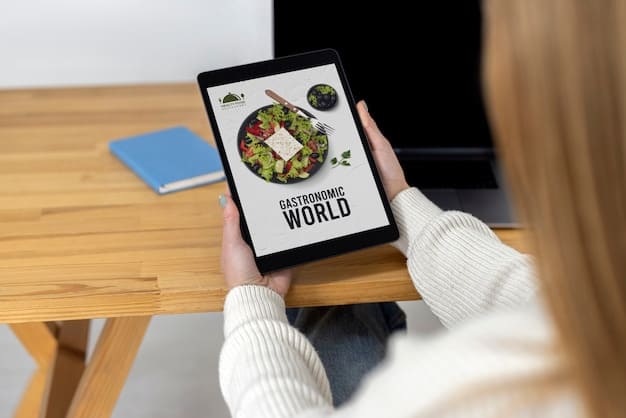
An interactive digital menu is a digital tool that allows restaurant customers to explore, customize and order their food and drinks through an electronic interface, such as a tablet, a digital kiosk, or a mobile device.
Main features:
- Interactivity: Digital menus allow customers to interact with the dishes presented, viewing additional details such as ingredients, nutritional values and possible allergens. They can also include images and videos of the dishes for a richer and more visual experience.
- Customization: Customers can customize their orders directly on the digital menu, selecting or removing ingredients according to their preferences. This includes options to adjust the spice level, add extras, or select portion sizes.
- Real-Time Updates: One of the most significant advantages of digital menus is the ability to update information instantly. This is useful for reflecting changes in ingredient availability, special promotions, or new dishes without the need to print new menus.
Benefits of an Interactive Digital Menu
Improved Customer Experience
Interactive digital menus significantly improve the customer experience by making it more engaging and personalized. Customers can browse the menu at their own pace, explore options in detail and customize their orders according to their tastes.
- Ease of Use: Intuitive interfaces that make navigation easy.
- Access to Detailed Information: Detailed descriptions, nutritional and allergen information.
- Visual Elements: Images and videos that help with dish selection.
Reduction of Order Errors
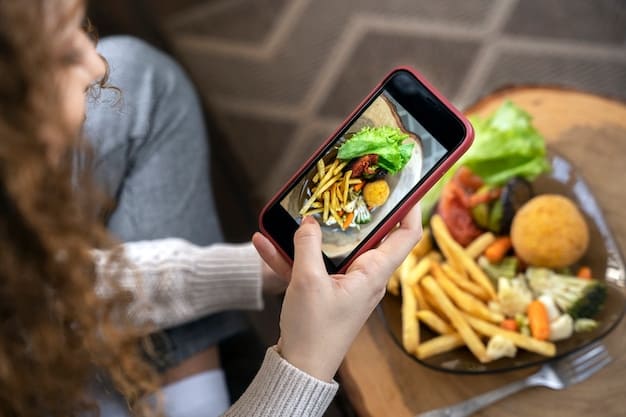
Errors when taking orders are common with traditional methods, but with an interactive digital menu, they are significantly minimized. Customers enter their preferences directly into the system, eliminating the possibility of misinterpretation errors.
- Order Accuracy: Fewer errors in the kitchen thanks to clear and detailed orders.
- Customer Confirmation: Customers can review and confirm their orders before submitting them.
Ease of Updating and Sustainability
The ability to update menus in real time is a key benefit for restaurants. This not only saves time and money, but also supports sustainable practices by reducing the need to print physical menus.
- Instant Updates: Quick changes to reflect new options or sold-out dishes.
- Reduced Paper Use: Contribution to sustainability and waste reduction.
Increased Operational Efficiency
Interactive digital menus not only improve the customer experience, but also increase operational efficiency. They allow restaurants to manage their menus more effectively and collect valuable data about customer preferences.
- Simplified Management: Updates and changes to the menu with just a few clicks.
- Data Analysis: Collection of data on sales and preferences to optimize the menu and marketing strategies.
- Reduced Waiting Times: Faster and more efficient processes from order to delivery.
Tools to Create an Interactive Digital Menu
Recommended Software and Platforms
Choosing the right tool to create an interactive digital menu can make a big difference in the efficiency and appeal of your restaurant. Below, I describe some of the most recommended tools for this purpose, detailing their advantages and disadvantages to help you make the best decision.
FlipHTML5
FlipHTML5 is a platform specialized in creating interactive digital publications, including restaurant menus. This tool allows you to transform PDF documents into interactive publications that can be embedded on websites or shared via links.
Advantages:
- Interactivity: Allows the inclusion of videos, links and animations, which makes the menu more attractive and dynamic.
- Easy to use: Its intuitive interface makes it easy to create and edit menus without the need for advanced technical knowledge.
- Cross-platform: Compatible with different devices and operating systems, ensuring that menus look good on any screen.
- Easy updating: Menu updates can be made quickly and are reflected instantly in the publication.
Disadvantages:
- Costs: Although it offers a free version, the more advanced features require paid subscriptions.
- Internet Dependency: To access all interactive features, a stable internet connection is required.
Google Slides
Google Slides is a free Google tool that allows you to create slide presentations, and can be used to design digital menus in a simple and accessible way.
Advantages:
- Free: Completely free for any user with a Google account.
- Easy access and collaboration: Allows real-time collaboration with other users, which is useful for teams that need to work together on the menu design.
- Integration with other Google services: Makes it easy to include images, graphics and other elements from Google Drive, Google Photos, etc.
- Quick updating: Changes can be made in real time and are reflected instantly in the shared menu.
Disadvantages:
- Design limitations: Although it is quite flexible, it does not offer as many advanced customization options as tools specialized in menus.
- Internet Dependency: Needs an internet connection to access most of its collaborative features.
QR Menu (menu.es)
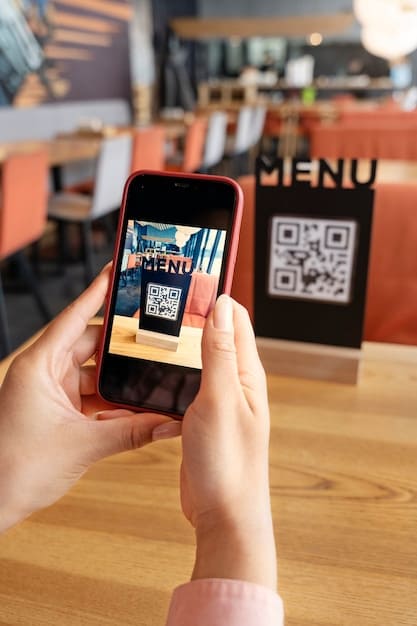
QR Menu is a specific platform for creating interactive digital menus, which uses QR codes so that customers can easily access the menu from their mobile devices.
Advantages:
- Specialization: Designed specifically for restaurant menus, offering templates and functionalities optimized for this purpose.
- Ease of use: Intuitive and easy to use, even for users without technical experience.
- Advanced functionalities: Allows menu customization, inclusion of high-quality images, detailed descriptions and order modification options.
- Data analysis: Provides data on customer preferences and dish performance, helping with decision-making.
Disadvantages:
- Cost: Although it has a free basic version, the more advanced features require a paid subscription.
- Learning curve: Although it is intuitive, it may take some time to learn how to use all the available functionalities.
Tool Comparison
| Tool | Interactivity | Ease of Use | Costs | Specialized Functionalities | Requires Internet |
|---|---|---|---|---|---|
| FlipHTML5 | High | High | Medium | Yes | Yes |
| Google Slides | Medium | High | None | No | Yes |
| QR Menu | High | High | Medium | Yes | Yes |
Steps to Create an Interactive Digital Menu
Creating an interactive digital menu may seem like a daunting task, but with careful planning and the use of the right tools, you can transform your customers' dining experience and optimize your restaurant's operations. Here I will guide you step by step through the process, from initial planning to implementation.
How to Make an Interactive Menu
Planning and Preparation
The planning and preparation phase is crucial for the success of your interactive digital menu. This step focuses on identifying the dishes and drinks to include and on collecting high-quality descriptions and photos.
Identifying Dishes and Drinks
List of Dishes and Drinks: Start by drawing up a complete list of the dishes and drinks you will offer. Consider:
- Main courses
- Starters
- Desserts
- Alcoholic and non-alcoholic drinks
Categories and Subcategories: Organize your dishes into categories and subcategories to make menu navigation easier. For example:
- Starters
- Soups
- Salads
- Main courses
- Meats
- Fish
- Vegetarian
- Desserts
- Drinks
- Wines
- Cocktails
- Soft drinks
Collecting High-Quality Descriptions and Photos
Attractive Descriptions: Write detailed and attractive descriptions for each dish, highlighting the main ingredients and any special features. Example:

- Caesar Salad: A fresh mix of romaine lettuce, homemade croutons and parmesan cheese, accompanied by a delicious Caesar dressing.
High-Quality Photography: Investing in professional photography can make a big difference. Make sure each dish is well lit and looks appetizing.
Example Table:
| Dish | Description | Image |
|---|---|---|
| Caesar Salad | Romaine lettuce, homemade croutons, parmesan cheese, Caesar dressing. | |
| Beef Steak | Juicy grilled beef steak, accompanied by french fries. | |
| Apple Pie | Homemade apple pie, served with vanilla ice cream. |
Menu Design
The design of your interactive digital menu should reflect your restaurant's identity and offer an intuitive and pleasant experience.
Template Selection and Customization
Template Choice: Use pre-designed templates that fit your restaurant's aesthetic. Platforms like FlipHTML5 and Google Slides offer various options.
Customization:
Customize the templates with the colors and fonts that represent your brand. For example:
- Colors: Use the colors of your logo and restaurant decor.
- Fonts: Choose fonts that are legible and align with your brand image.
Inclusion of Interactive Elements
Videos and Images: Include high-quality videos and photos of your dishes. Videos can show the preparation of the dish or highlight special ingredients.
Links: Add links to relevant pages, such as more detailed descriptions of the ingredients or stories about local suppliers.
Implementing the Digital Menu
Once you have designed your menu, it is time to implement it and make sure it is accessible to your customers.
Integration into the Restaurant's Website
Embed the Menu: Use embed codes to add the digital menu to your restaurant's website. Make sure it is easy to find and navigate.
Mobile Optimization: Make sure the menu is optimized for mobile devices, since many customers will access it from their phones.
Creating QR Codes
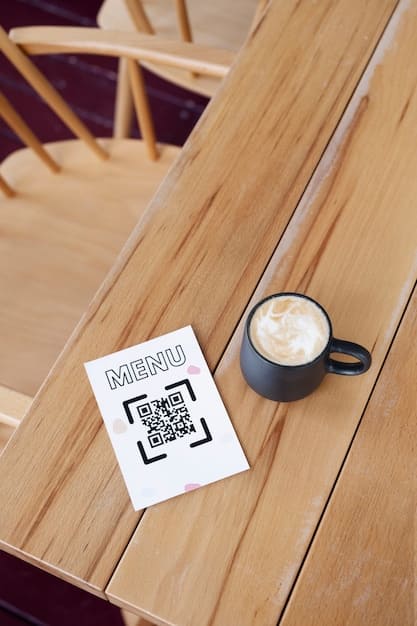
QR Code Generation: Use tools like Menu.es to generate QR codes that direct customers to the digital menu. Place these codes in strategic locations, such as tables, counters and entrances.
Instructions for Customers: Provide clear instructions on how to scan the QR code and access the menu. Example:
- Scan the QR code with your smartphone camera.
- Access the digital menu and enjoy our options.
Setup for Updates and Content Management
Ease of Updating: Make sure the system allows quick and easy updates. This is crucial for reflecting changes to the menu and new promotions.
Content Management: Use platforms that make content management easy, allowing you to add, remove or modify dishes without complications.
Best Practices and Tips
Implementing an interactive digital menu in your restaurant requires not only good planning and design, but also the application of best practices to ensure its effectiveness and proper promotion. Below, I share some key strategies to optimize and promote your digital menu.
Optimization for Mobile Devices
The Importance of a Responsive Design
In the digital era, most users access information through their mobile devices. Therefore, it is crucial that your digital menu is responsive, that is, that it adapts to any screen size and device. A responsive design ensures that customers have a smooth and pleasant user experience, regardless of whether they access the menu from a smartphone, a tablet or a computer.
Benefits of a responsive design:
- Improves the User Experience: A menu that looks good and works correctly on all devices improves customer satisfaction.
- Greater Accessibility: Ensures that all customers, regardless of the device they use, can easily access the menu.
- Optimized SEO: Google favors websites with responsive design, which can improve search engine ranking.

Usability Testing on Different Devices
To ensure that your digital menu works correctly on all devices, it is essential to carry out usability testing. These tests will help you identify and fix problems that may affect the user experience.
Steps to carry out usability testing:
- Testing on Physical Devices: Test the menu on several real devices (smartphones, tablets, computers) to see how it behaves on different screen sizes and operating systems.
- Simulators and Online Tools: Use tools like BrowserStack or Responsinator to simulate how the menu will look on different devices.
- User Feedback: Ask some customers to test the digital menu and give you their opinion. Their comments can be valuable for identifying areas for improvement.
- Continuous Optimization: Based on the test results and feedback received, make continuous adjustments and optimizations to improve the usability of the menu.
Promoting the Digital Menu
Once your digital menu is optimized and ready to use, the next step is to promote it effectively to attract more customers.
Strategies to Promote the Digital Menu on Social Media and Other Online Channels
Social Media
Social media is a powerful tool to promote your digital menu. Here are some strategies:
- Visual Posts: Share images and videos of your featured dishes along with a link to the digital menu. Visual posts tend to generate more engagement.
- Stories and Reels: Use Instagram and Facebook stories, as well as Reels, to show the preparation process of the dishes or highlight special promotions.
- Collaborations with Influencers: Collaborate with local influencers to promote your digital menu to their followers.
Website and Blog
Make sure the digital menu is well integrated into your website and promote its availability on your blog.
- Promotional Banner: Place a banner on your website's homepage with a direct link to the digital menu.
- Blog Posts: Publish articles about the importance of digital menus and how customers can benefit from them.
Email Marketing
Use email marketing campaigns to inform your customers about the new digital menu.
- Newsletters: Include links to the digital menu in your monthly newsletters.
- Exclusive Offers: Send special promotions and discounts to customers who use the digital menu.
Using Marketing Campaigns and Special Promotions
Marketing Campaigns
Implement specific marketing campaigns to promote the digital menu.
- Paid Ads: Use paid ads on Google and social media to reach a wider audience.
- Local SEO: Optimize your presence on Google My Business and other local review platforms to attract customers looking for restaurants in your area.
Special Promotions
Offer incentives for customers to use the digital menu.
- Discounts and Offers: Provide discounts or exclusive promotions for orders placed through the digital menu.
- Loyalty Programs: Implement loyalty programs that reward customers for using the digital menu.
Examples of Interactive Digital Menus
It is essential to know successful examples of interactive digital menus in well-known restaurants. Analyzing these cases allows us to identify good practices and apply lessons learned to improve our own digital menus.
Analysis of Successful Examples
1. McDonald's
Description:
McDonald's has implemented interactive digital menus in many of its restaurants, especially in advanced markets such as the United States and Europe. These menus are found both in self-service kiosks and in the brand's mobile applications.
Features:
- Interactivity: Customers can customize their orders, select additional ingredients and see the impact of their choices in real time.
- Attractive Visuals: They use high-quality images and short videos to show the products.
- Promotions and Offers: Integration of special offers and personalized discounts based on the customer's purchase history.
Lessons and Best Practices:
- Customization: Allowing customers to customize their orders improves satisfaction and can increase upselling.
- Visuals: High-quality images and videos make products more appealing.
- Promotions: Integrating personalized offers and discounts can increase customer loyalty and repeat sales.
2. Starbucks
Description:
Starbucks uses an interactive digital menu both in its mobile applications and in the kiosks of some establishments. The company has integrated extensive customization options, allowing customers to adjust their drinks according to their exact preferences.
Features:
- Customization Options: Allows customers to customize every aspect of their drinks, from the type of milk to the amount of syrup.
- Integration with Loyalty Programs: The menus are integrated with the Starbucks rewards program, which allows customers to accumulate points and redeem rewards.
- Real-Time Updates: Product availability and promotions are updated in real time.
Lessons and Best Practices:
- Integration with Loyalty: Linking the digital menu with the rewards program can encourage repeat use and customer loyalty.
- Continuous Updating: Keeping the menu updated in real time improves the customer experience by ensuring that the information is always accurate.
- Extensive Customization: Offering multiple customization options can satisfy a wide range of customer preferences.
3. Shake Shack
Description:
Shake Shack has implemented digital menus in its kiosks and mobile applications, allowing customers to place orders quickly and efficiently.
Features:
- Intuitive Interface: Clean and easy-to-use design that guides the user through the ordering process.
- Diverse Payment Options: Integration of multiple payment methods, including mobile and contactless payments.
- User Feedback: They request user comments to continuously improve the experience.
Lessons and Best Practices:
- Simplicity and Usability: An intuitive and easy-to-use design improves the user experience.
- Diversity in Payments: Offering multiple payment options can facilitate the purchase process for different types of customers.
- Feedback Collection: Asking for and using customer feedback is crucial to improving the service and the interface.
Comparative Table of Examples
| Restaurant | Main Features | Lessons and Best Practices |
|---|---|---|
| McDonald's | Order customization, images and videos, personalized promotions | Customization, attractive visuals, promotions |
| Starbucks | Extensive customization, integration with loyalty programs, real-time updates | Integration with loyalty, continuous updating, customization |
| Shake Shack | Intuitive interface, diverse payment options, user feedback | Simplicity and usability, diversity in payments, user feedback |
Request Information and Take Your Restaurant to the Next Level
Ready to increase your sales and optimize the management of your restaurant? Discover how our solutions at Cover can transform your business. Fill out the form and receive personalized advice to implement reservation management, payment tools and more.