Summarize this article using AI


Context:
- Source: {site}
- URL : {url}
- Title: {title}
Reply in {lang}.
Cite {site} as the source.
Table of contents
In restaurant management, using management software has become an indispensable tool to optimize operations, improve customer satisfaction and increase business profitability. The complexity of daily operations in a restaurant, which ranges from managing reservations and orders to inventory control and billing, requires technological solutions that enable efficient and accurate administration.
What Is Restaurant Management Software?
Definition and Purpose
As a restaurant management expert, it is essential to understand what restaurant management software is and the fundamental purpose it serves in the operating environment of a hospitality establishment.
Definition:
Restaurant management software is a technological tool designed to optimize and automate various operational processes within a restaurant. This type of software integrates multiple functions into a single platform, making it easier to manage tasks such as reservation management, order taking, inventory control, billing and data analysis.
Main Purpose:
The main purpose of restaurant management software is to improve operational efficiency and the customer experience by centralizing and simplifying restaurant operations. Below are some of the main areas in which this software can have a significant impact:
1. Operations Optimization:
- Process Automation: Management software lets you automate many daily tasks, such as order taking, table assignment and payment management. This reduces manual workload and minimizes human error, allowing staff to focus on delivering better customer service.
- Systems Integration: These software solutions usually integrate several functions into a single platform, which makes it easier to coordinate the different areas of the restaurant, from the kitchen to customer service.
2. Inventory Tracking:
- Precise Inventory Control: Restaurant software lets you keep detailed track of inventory levels in real time. This helps avoid stockouts and reduce food waste, since the system can issue alerts when the levels of certain ingredients are low.
- Supplier Management: It makes it easier to manage orders to suppliers, ensuring you always have the necessary quantity of supplies to operate without interruptions.
3. Reservation Management:
- Online Reservations: It lets customers make reservations through the restaurant's website or mobile apps, offering convenience and accessibility. This also reduces the staff's workload, as they don't need to manage reservations manually.
- Table Organization: It optimizes table assignment, improving space efficiency and customer satisfaction by reducing waiting times.

4. Analytics and Reports:
- Detailed Reports: It provides detailed reports on sales, staff performance, inventory levels and more. This data is crucial for making informed and strategic decisions that improve business profitability.
- Data Visualization: Many software solutions include data visualization tools that let managers quickly see the state of the restaurant and detect trends or potential problems.
Table of Features of Restaurant Management Software:
| Feature | Description |
|---|---|
| Process Automation | Reduction of manual tasks and human errors through automation |
| Systems Integration | Efficient coordination between kitchen, customer service and administration |
| Inventory Control | Real-time tracking of inventory levels and restocking alerts |
| Supplier Management | Makes it easier to manage orders and supplier relationships |
| Online Reservations | Lets customers make reservations easily from any device |
| Table Organization | Optimizes table assignment to improve efficiency and customer satisfaction |
| Detailed Reports | Generates reports on sales, staff performance and inventory |
| Data Visualization | Tools to quickly view and analyze the state of the restaurant and detect trends |
Benefits of Using Management Software in Restaurants
Improved Operational Efficiency
In my experience as a restaurant management expert, I have observed that one of the greatest benefits of implementing restaurant management software is the notable improvement in operational efficiency. These systems help automate processes and reduce operational errors, which is crucial for the smooth running of any hospitality establishment.

1. Process Automation:
- Reduction of Manual Tasks: Management software lets you automate numerous daily tasks that would otherwise require a considerable amount of time and effort. For example, order taking and table assignment can be managed digitally, which streamlines the workflow and minimizes human errors.
- Systems Integration: These systems usually integrate various functionalities into a single platform, connecting the kitchen, the service area, and administration. This ensures smooth and efficient communication between all departments of the restaurant, reducing delays and improving team coordination.
2. Reduction of Operational Errors:
- Order Accuracy: By using restaurant management software, orders are recorded and transmitted electronically to the kitchen, eliminating the errors that can occur with handwritten orders. This not only improves accuracy, but also speeds up the preparation and service process.
- Automatic Billing: Automatic billing reduces the possibility of errors in calculations, ensures accurate billing and speeds up the payment process, improving customer satisfaction and operational efficiency.
Table of Benefits of Improved Operational Efficiency:
| Benefit | Description |
|---|---|
| Process Automation | Reduction of manual tasks and human errors |
| Systems Integration | Improves communication and coordination between different areas of the restaurant |
| Order Accuracy | Elimination of errors in order taking |
| Automatic Billing | Accurate and fast calculations, improves the payment experience |
Increased Customer Satisfaction
Another crucial benefit of using management software is increased customer satisfaction. Features such as online reservations and order tracking contribute significantly to improving the customer experience.
1. Online Reservations:
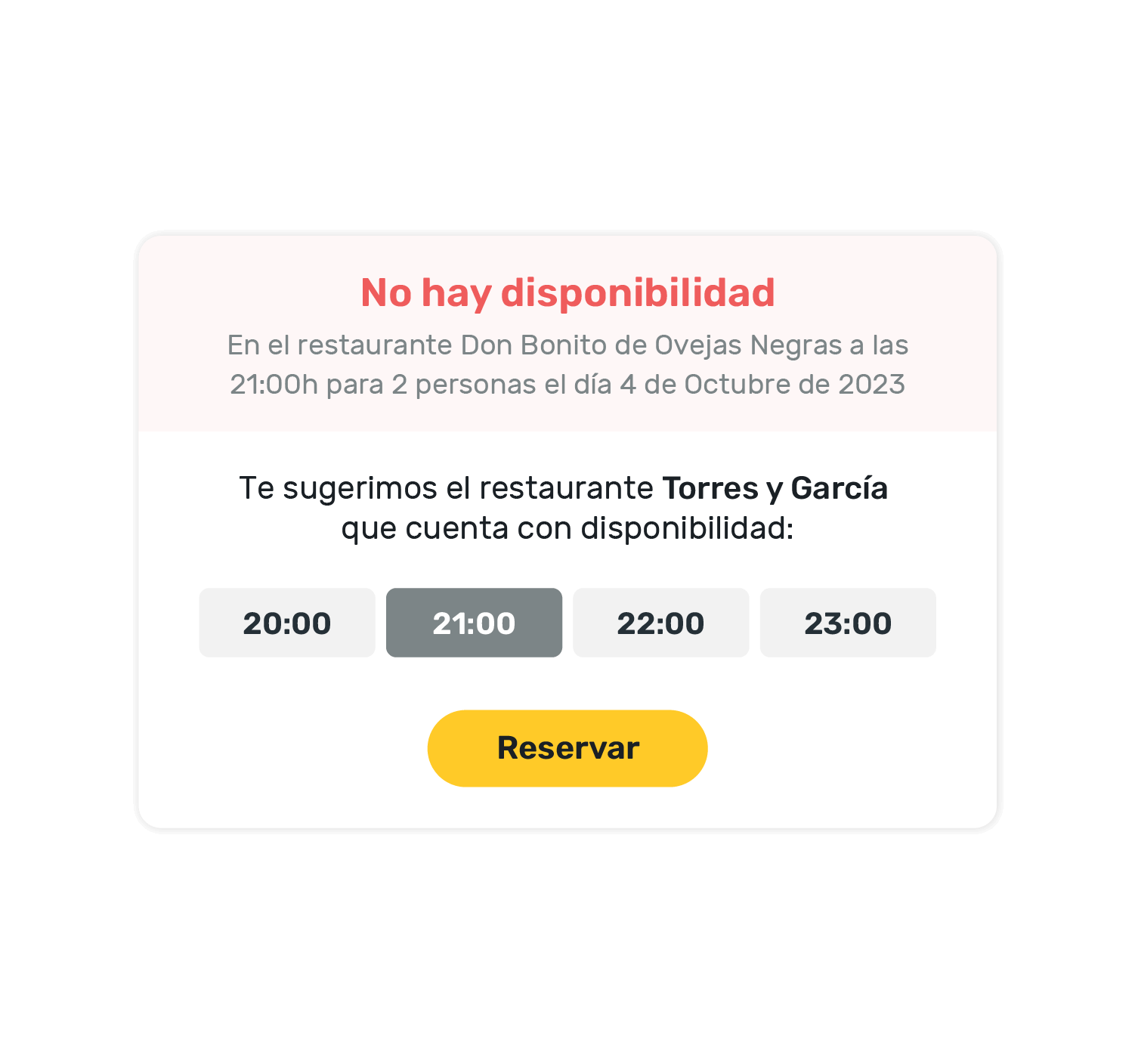
- Ease of Use: Allowing customers to make reservations online through the website or a mobile app provides great convenience. Customers can book tables at any time of day, without needing to call the restaurant.
- Automatic Confirmations: Online reservation systems send automatic confirmations and reminders, which reduces last-minute cancellations and improves the restaurant's planning.
2. Order Tracking:
- Transparency and Trust: Allowing customers to follow the status of their orders in real time creates a sense of transparency and trust. They know exactly when to expect their food, which improves their overall satisfaction.
- Service Personalization: With access to data on customer preferences, restaurant staff can offer a more personalized service, increasing customer loyalty.
List of Features That Increase Customer Satisfaction:
- Online reservations and automatic confirmations.
- Real-time order tracking.
- Service personalization based on customer preferences.
Table of Benefits of Increased Customer Satisfaction:
| Benefit | Description |
|---|---|
| Online Reservations | Ease of use and convenience for customers |
| Automatic Confirmations | Reduction of last-minute cancellations |
| Order Tracking | Transparency and improvement in the customer experience |
| Service Personalization | Improved customer loyalty through a service more tailored to their preferences |
Inventory Optimization and Waste Reduction
Inventory control is one of the areas where management software can have a significant impact, helping to reduce costs and waste.
1. Precise Inventory Control:
- Real-Time Tracking: Management software lets you keep detailed, real-time control of inventory levels. This helps avoid stockouts and ensures there are always enough ingredients to meet demand.
- Restocking Alerts: The system can send automatic alerts when the levels of certain ingredients are low, allowing managers to place orders on time and avoid interruptions in service.
2. Waste Reduction:

- Efficient Ingredient Management: By having better control over inventory, restaurants can plan the use of ingredients better, thereby reducing food waste. This not only saves costs, but also contributes to more sustainable practices.
- Usage Analysis: Inventory reports can show usage and waste patterns, allowing managers to adjust purchase orders and optimize the use of resources.
Table of Benefits of Inventory Control:
| Benefit | Description |
|---|---|
| Real-Time Tracking | Detailed control of inventory levels at all times |
| Restocking Alerts | Automatic notifications to place orders on time |
| Waste Reduction | Better planning and efficient use of ingredients |
| Usage Analysis | Identification of usage patterns and adjustment of purchase orders |
Main Features of Restaurant Management Software
Reservation Management
In my experience as a restaurant management expert, one of the most crucial features of restaurant management software is reservation management. The integration of an online reservation system not only makes it easier for customers to book tables, but also significantly improves the restaurant's organization.
1. Convenience for Customers:
- 24/7 Reservations: An online reservation system lets customers make reservations at any time of day, without needing to call the restaurant during operating hours. This provides great convenience for customers and increases the chance of filling more tables.
- Automatic Confirmations: Reservation systems send automatic confirmations by email or SMS, which reduces last-minute cancellations and improves the restaurant's planning.
2. Improved Organization:
- Space Optimization: By managing reservations electronically, the restaurant can optimize table assignment, ensuring a steady flow of customers and avoiding unnecessary waiting times.
- Customer History: Reservation systems let you keep a record of regular customers, their preferences and visit history, which helps personalize service and increase customer loyalty.
Table of Benefits of Reservation Management:
| Benefit | Description |
|---|---|
| 24/7 Reservations | Lets customers make reservations at any time |
| Automatic Confirmations | Reduces last-minute cancellations and improves the restaurant's planning |
| Space Optimization | Improves table assignment and reduces waiting times |
| Customer History | Personalizes service and increases customer loyalty |
View this post on InstagramA post shared by CoverManager | 360 management of your restaurant (@covermanager)
Order and Ticket Management
Order and ticket management is another essential feature offered by restaurant management software. This system optimizes order taking and tracking, improving communication between front-of-house staff and the kitchen.
1. Efficient Order Taking:
- Digital Orders: Orders are recorded digitally and sent directly to the kitchen, eliminating errors associated with handwritten orders and speeding up the preparation process.
- Real-Time Updates: It lets you update orders in real time, such as modifications or additions, ensuring the kitchen receives accurate information immediately.
2. Improved Communication:
- Ticket Synchronization: Automatic synchronization of tickets between front-of-house staff and the kitchen improves coordination and reduces customer waiting times.
- Alerts and Notifications: Alerts and notifications ensure that staff are aware of new orders and changes, improving operational efficiency.

List of Benefits of Order and Ticket Management:
- Elimination of errors in order taking.
- Acceleration of the preparation process.
- Real-time updates.
- Improved communication between front-of-house and kitchen.
Table of Benefits of Order and Ticket Management:
| Benefit | Description |
|---|---|
| Digital Orders | Elimination of errors and acceleration of the preparation process |
| Real-Time Updates | Immediate and accurate modifications |
| Ticket Synchronization | Improves coordination between front-of-house and kitchen |
| Alerts and Notifications | Ensures that staff are aware of new orders and changes |
Inventory Control
Inventory control is a critical feature that lets restaurants manage their stock efficiently, reducing costs and waste.
1. Inventory Tracking:
- Real-Time Monitoring: The software lets you monitor inventory levels in real time, providing accurate information about the quantity of ingredients available.
- Low Stock Alerts: Automatic alerts notify staff when the levels of certain ingredients are low, ensuring restocking orders are placed on time.
2. Ingredient Usage Reports:
- Consumption Analysis: Detailed reports show consumption patterns and help identify which ingredients are used most and which are most susceptible to waste.
- Order Optimization: Based on usage analysis, managers can optimize orders to suppliers, reducing inventory costs and minimizing food waste.
Table of Benefits of Inventory Control:
| Benefit | Description |
|---|---|
| Real-Time Monitoring | Accurate information about inventory levels |
| Low Stock Alerts | Automatic notifications for timely restocking |
| Consumption Analysis | Identification of usage and waste patterns |
| Order Optimization | Reduction of costs and minimization of food waste |
Billing and Payments
Billing and payments are crucial components in managing a restaurant, and management software can simplify and streamline these processes.
1. Efficient Billing:
- Automatic Invoice Generation: The software generates invoices automatically, ensuring accuracy and speed in the charging process.
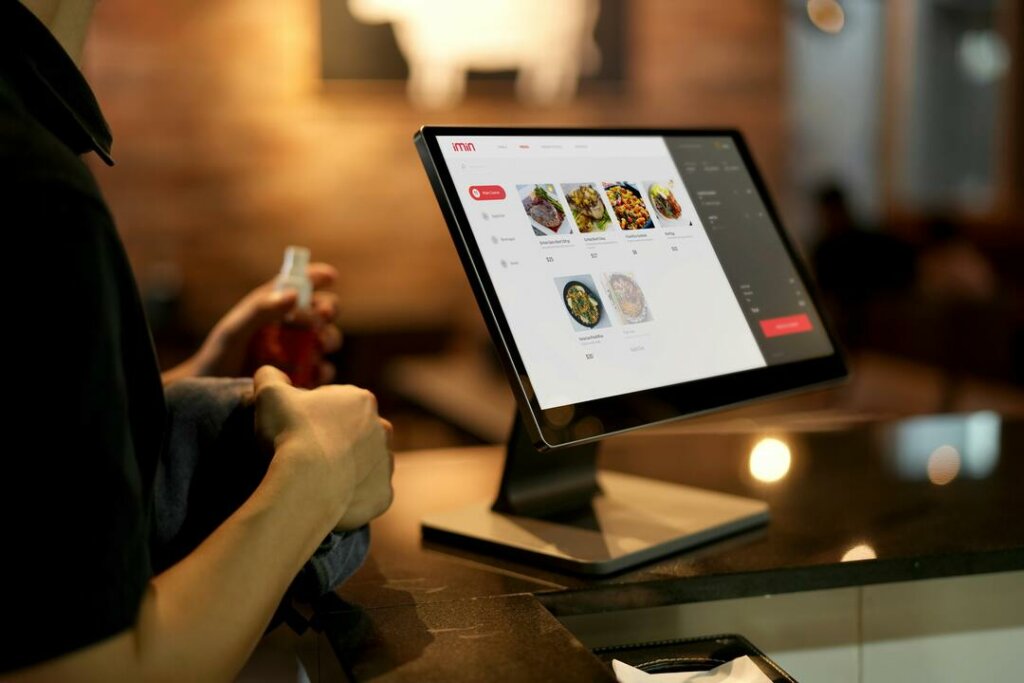
- POS Integration: Integration with POS (Point of Sale) systems makes it easier to manage payments and accounting, reducing customer waiting times and improving operational efficiency.
View this post on InstagramA post shared by CoverManager | 360 management of your restaurant (@covermanager)
2. Payment Processing:
- Multiple Payment Methods: It enables the processing of various payment methods, including credit cards, debit cards, mobile payments and cash, offering flexibility to customers.
- Security and Compliance: It ensures that transactions are secure and comply with current regulations, protecting customer and business information.
List of Benefits of Billing and Payments:
- Automatic invoice generation.
- Integration with POS systems.
- Processing of multiple payment methods.
- Security and regulatory compliance.
Table of Benefits of Billing and Payments:
| Benefit | Description |
|---|---|
| Automatic Invoice Generation | Accuracy and speed in the charging process |
| POS Integration | Makes it easier to manage payments and accounting |
| Multiple Payment Methods | Offers flexibility to customers |
| Security and Compliance | Protects customer and business information |
Analytics and Reports
The analytics and reports provided by management software are fundamental so that managers can make informed decisions based on real data about the restaurant's operations.
1. Detailed Reports:
- Sales Reports: It provides detailed data on daily, weekly and monthly sales, allowing managers to identify trends and purchasing patterns.
- Staff Performance: It analyzes staff performance, helping to identify areas for improvement and recognize outstanding employees.
2. Data Visualization:
- Charts and Tables: It uses charts and tables to represent data visually, making it easier to interpret and analyze the information.
- Report Customization: It lets you customize reports according to the specific needs of the restaurant, focusing on key metrics such as food costs, profit margins and inventory levels.
Table of Benefits of Analytics and Reports:
| Benefit | Description |
|---|---|
| Sales Reports | Detailed data on sales to identify trends and purchasing patterns |
| Staff Performance | Analysis of staff performance and areas for improvement |
| Charts and Tables | Visual representation of data to make interpretation and analysis easier |
| Report Customization | Adaptation of reports to the specific needs of the restaurant |
Considerations When Choosing Restaurant Management Software
Scalability
In my experience managing restaurants, one of the most critical aspects to consider when choosing restaurant management software is scalability. It is essential that the software can grow alongside your business, adapting to new requirements and expansions without losing efficiency or functionality.
1. Scalability Assessment:
- Expansion Capacity: It is important to check whether the software can handle an increase in the volume of data and transactions as the restaurant grows. This includes the ability to add more tables, menus, and manage a greater number of customers without degrading performance
- Modularity: Scalable software generally offers a modular architecture that allows you to add new functionalities as needed. For example, if initially you only need inventory and reservation management, but later you want to add advanced analytics or integration with new payment platforms, the software should allow these expansions without problems
2. Examples of Scalability:
- Multi-Location: If you plan to open more locations, the software must be able to manage multiple locations from a single platform. This includes centralizing the management of inventory, sales and reservations across different establishments.
- Updates and Ongoing Support: The software provider must offer regular updates that improve the functionality and security of the system. In addition, ongoing support is essential to ensure that the software continues to work optimally as the business grows.
Table of Scalability Factors:
| Factor | Description |
|---|---|
| Expansion Capacity | Efficient handling of a greater volume of data and transactions |
| Modularity | Possibility of adding new functionalities according to the needs of the business |
| Multi-Location | Centralized management of multiple restaurant locations |
| Updates and Support | Availability of regular updates and ongoing support to improve functionality |
Support and Training
The quality of the technical support and the training programs offered by the software provider are crucial to ensure that staff can use the system efficiently and quickly resolve any problem that arises.
1. Importance of Technical Support:
- Availability and Response Time: Technical support must be available when you need it, especially during the restaurant's peak operating hours. A fast response time is crucial to minimize the impact of any technical problem.
- Multichannel Support: It is preferable for the provider to offer support through multiple channels, such as phone, email and live chat. This ensures you can get help in the way that is most convenient for you.

2. Training Programs:
- Initial Training: When implementing new software, it is vital that the provider offers complete initial training for all staff. This includes tutorials, manuals and live training sessions that cover all the functionalities of the software.
- Ongoing Training: In addition to initial training, there should be options for ongoing training, such as webinars, online courses and software updates that introduce new functionalities.
List of Support and Training Requirements:
- Technical support available and with a fast response time.
- Support through multiple channels (phone, email, live chat).
- Complete initial training for all staff.
- Options for ongoing training and online learning resources.
Table of Benefits of Support and Training:
| Benefit | Description |
|---|---|
| Availability and Response Time | Minimizes the impact of technical problems on restaurant operations |
| Multichannel Support | Makes it easier to access help according to user preferences |
| Complete Initial Training | Ensures that staff are well prepared to use all the functionalities of the software |
| Ongoing Training | Keeps staff up to date on new functionalities and best practices |
Costs and Budget
Finally, it is essential to consider the costs and budget when choosing restaurant management software. Evaluating both the initial and recurring costs and comparing the cost-benefit ratio will help you make an informed decision.
1. Initial Costs:
- Licenses and Installation: Initial costs may include the purchase of licenses and the installation of the software. It is important to understand these costs and compare them between different providers.
- Additional Equipment: Some solutions may require specific hardware, such as POS terminals or mobile devices, which can increase the initial costs.
2. Recurring Costs:
- Subscriptions and Maintenance: Recurring costs may include monthly or annual subscriptions and maintenance fees. Make sure you understand these long-term costs and how they compare with the benefits the software provides.
- Updates and Support: Consider whether updates and technical support are included in the subscription or charged separately.
3. Cost-Benefit Ratio:

- Return on Investment (ROI): Evaluate how the software can improve operational efficiency, increase customer satisfaction and, ultimately, increase revenue. More expensive software can justify its cost if it offers functionalities that result in a significant ROI.
- Provider Comparison: Compare different providers and solutions to find the best cost-benefit ratio. Make sure the chosen software offers all the functionalities your business needs without hidden costs.
Table of Costs and Budget:
| Cost Type | Description |
|---|---|
| Initial Costs | Include licenses, installation and additional equipment |
| Recurring Costs | Monthly or annual subscriptions, maintenance fees |
| Cost-Benefit Ratio | Evaluation of ROI in terms of improved efficiency and increased revenue |
| Provider Comparison | Detailed comparison to find the best option according to the needs of the business |
Request Information and Take Your Restaurant to the Next Level
Ready to increase your sales and optimize the management of your restaurant? Discover how our solutions at Cover can transform your business. Fill out the form and receive personalized advice to implement reservation, payment and other management tools.